
Question:
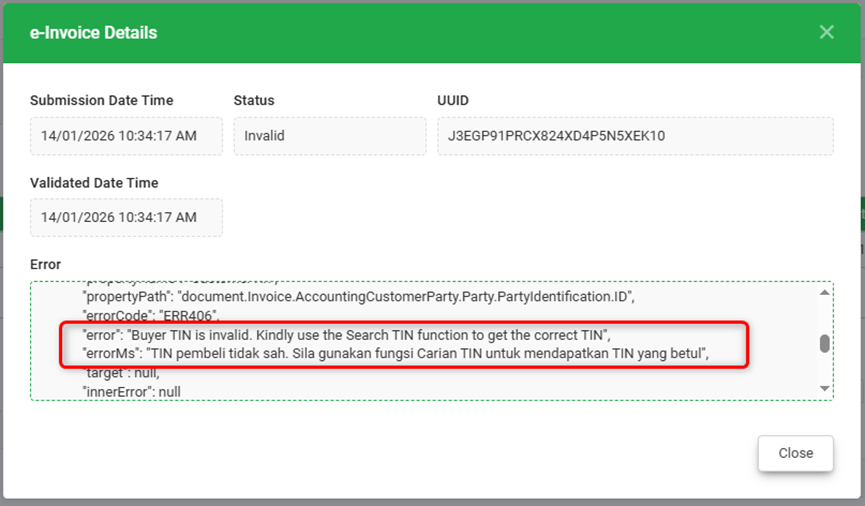
When I try to submit e-Invoice, it has submission error "Buyer TIN is invalid. Kindly use the Search TIN function to get the correct TIN".
Possible Reason:
The Buyer's TIN (customer) is invalid and did not pass LHDN validation.
Answer:
1) Go to Master Data > Tax Entity.
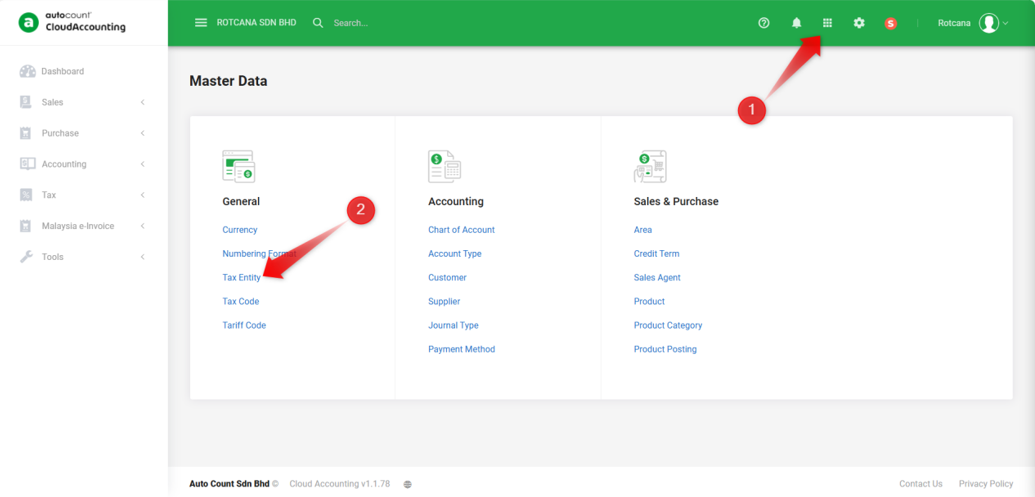
2) Click on ‘Edit’ on the right side on the Tax Entity needed.
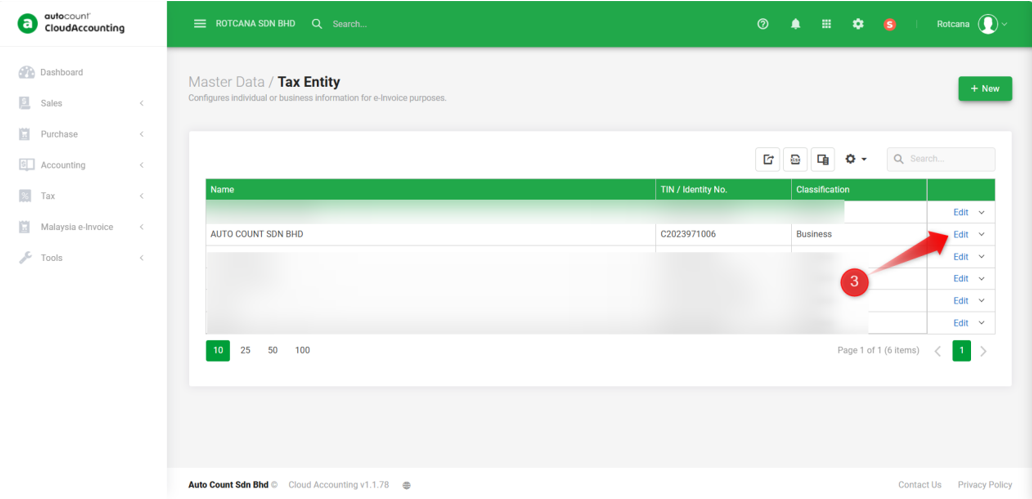
3) Remove TIN to clear it and the ‘Search TIN by BRN’ option will show.
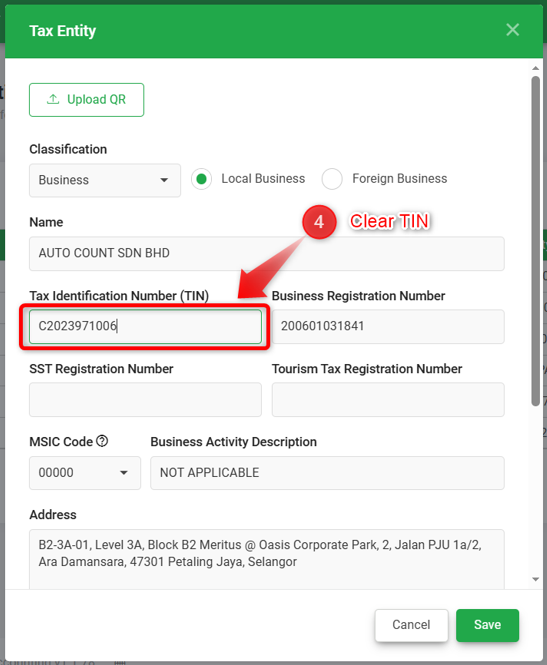
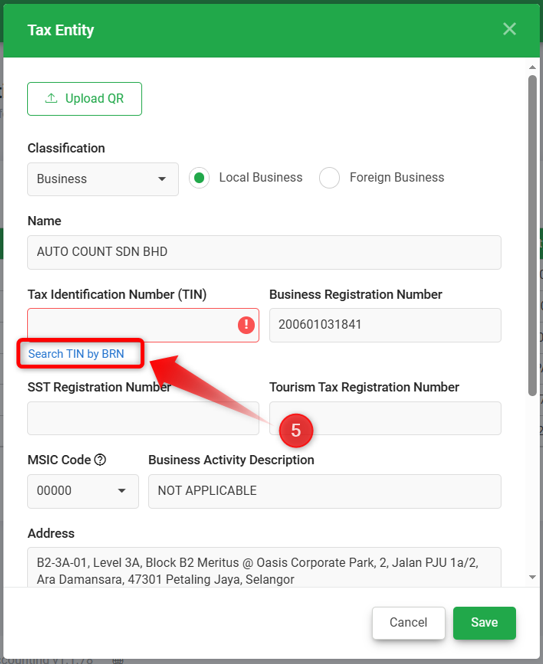
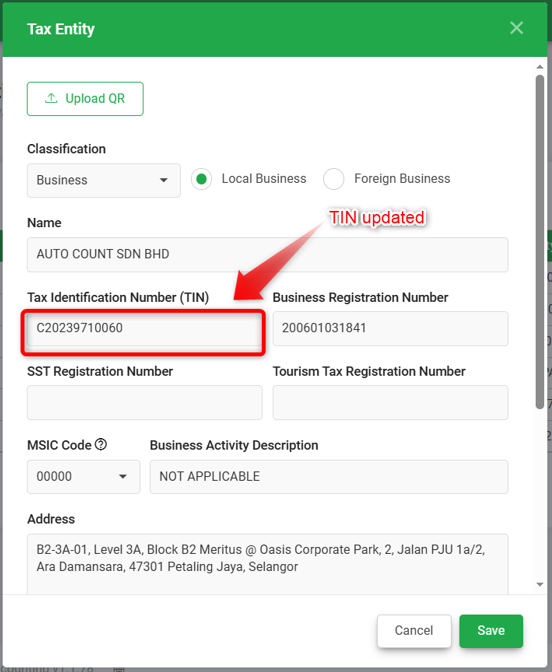
4) Click on ‘Search TIN by BRN’ and system will update TIN according to the BRN, proceed to Save.
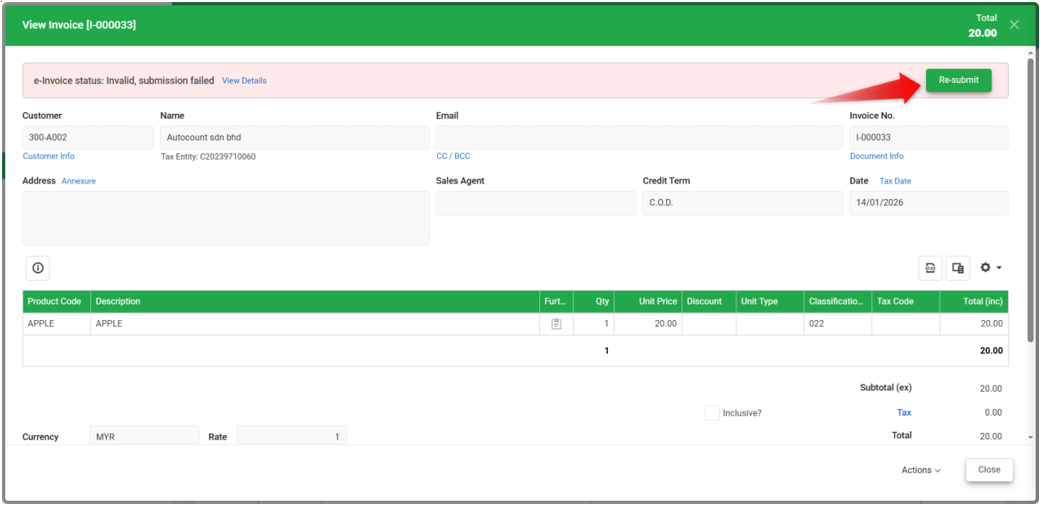
5) You now can proceed to View the Invoice and click Re-submit.
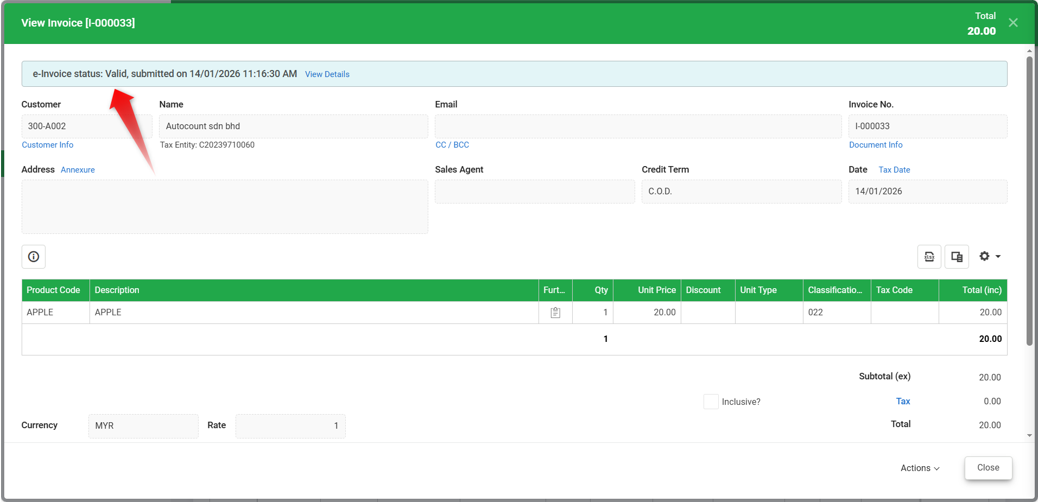
The Invoice should be successfully submitted with Valid status.
By: Rotcana 260116, Lay Swan 260129