
Question:
I don’t want to key in classification code every time I create an Invoice. Where can I set default classification code for e-Invoice?
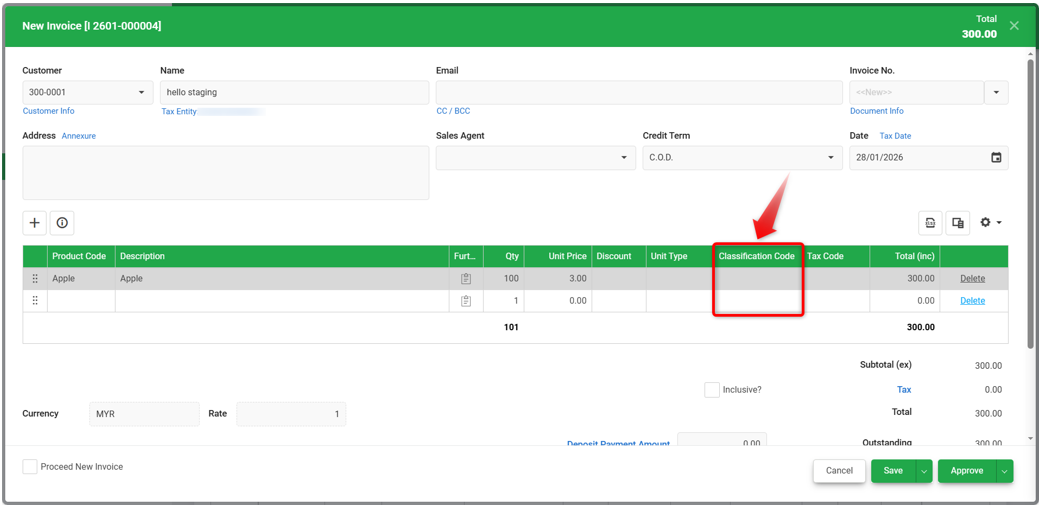
Answer:
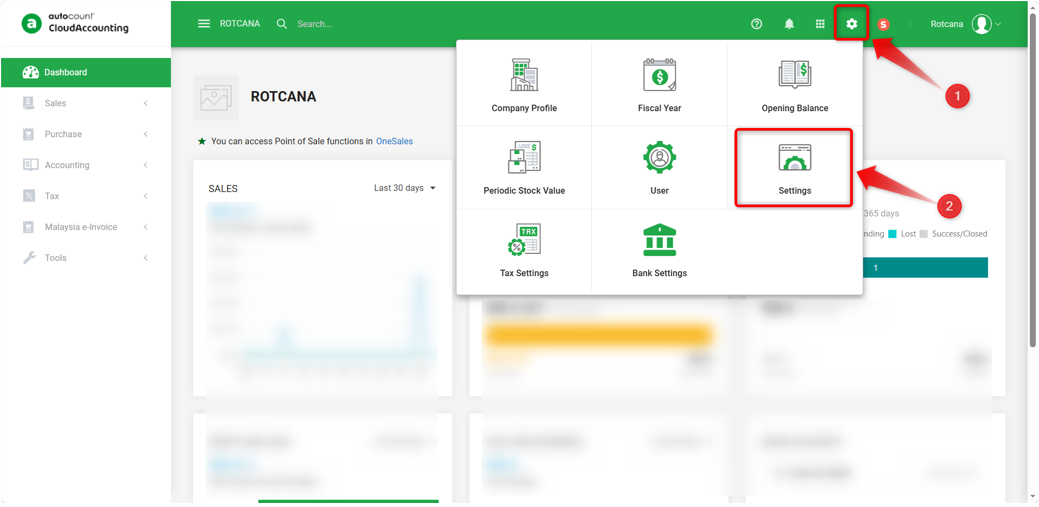
1) Go to Account Book icon > Settings.
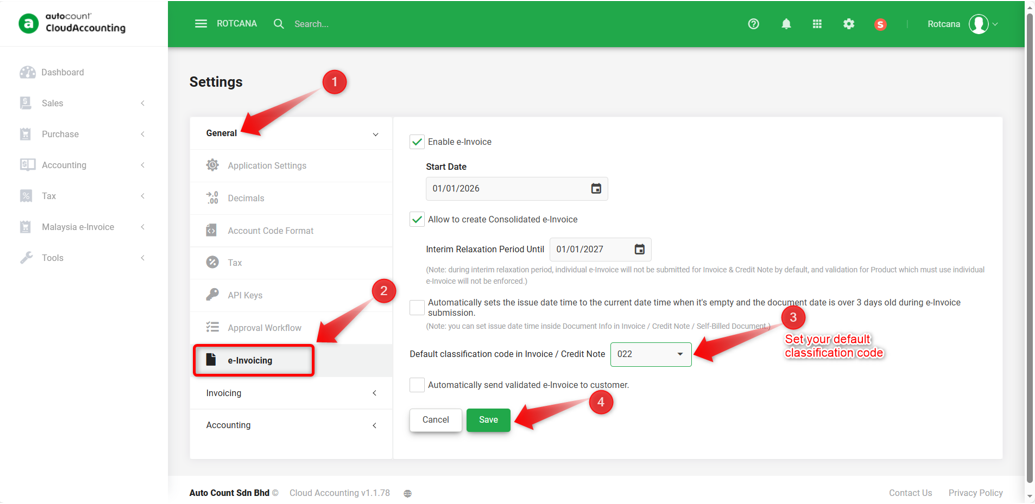
2) Under General, click e-Invoicing. Set the default classification code under the option “Default classification code in Invoice/Credit Note”, then proceed to Save.
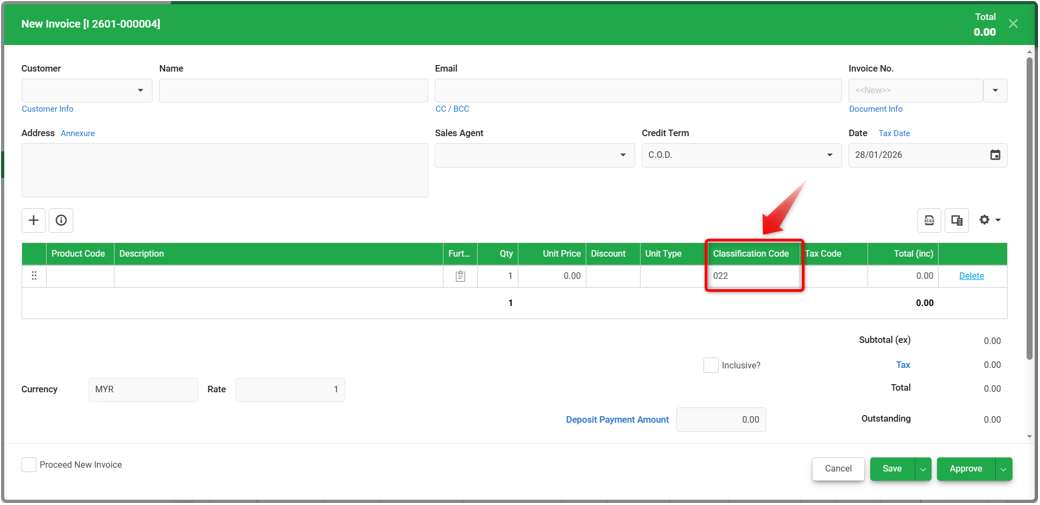
3) When you create an Invoice, the classification code will be automatically assigned.
Notes: For more classification code reference, refer
https://sdk.myinvois.hasil.gov.my/codes/classification-codes/
By: Rotcana 260203, Lay Swan 260225