
Question:
When submitting e-Invoice, the system shows error: “LHDN login error: unauthorized_client”. Why does this happen?
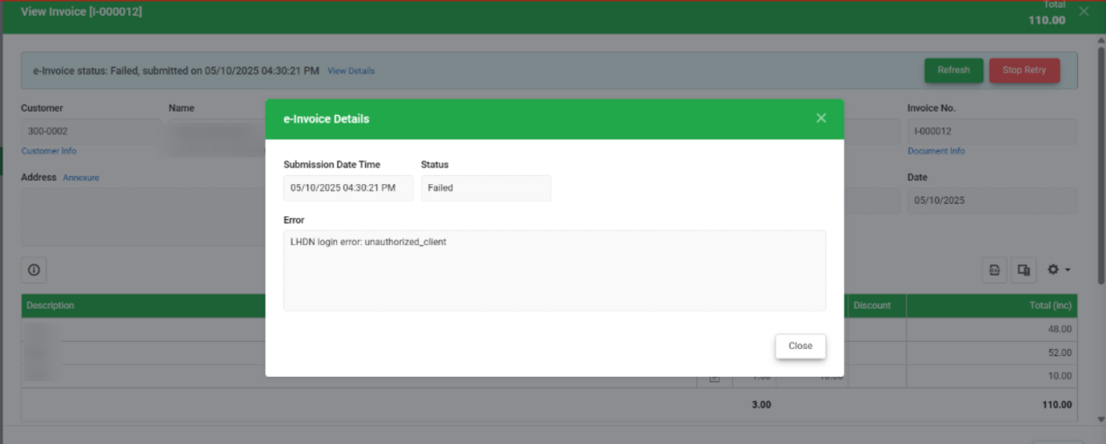
Possible Reasons:
1) The intermediary is not set up correctly. The intermediary may have been added under the individual taxpayer profile instead of the company taxpayer profile.
2) The intermediary representation date range is set incorrectly.
Solution (1):
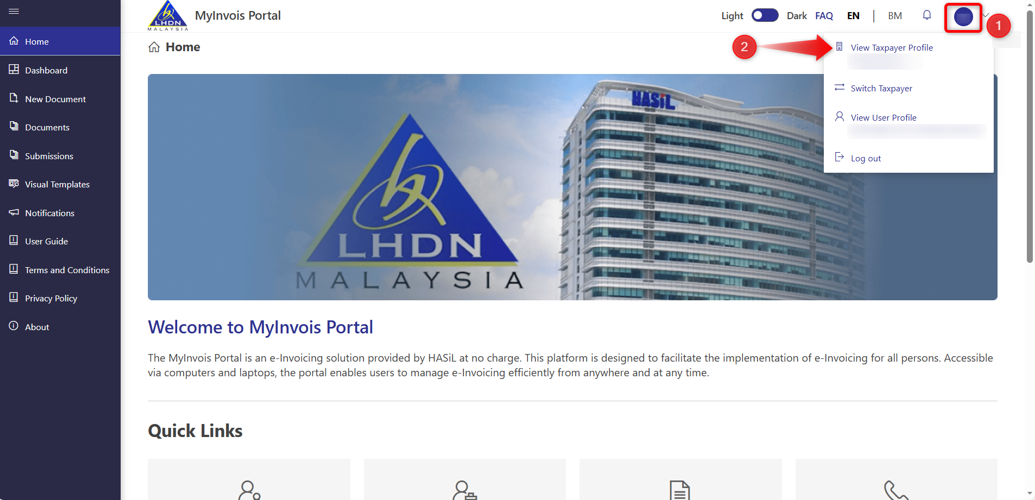
1) Login to MyInvois Portal, go to View Taxpayer Profile. Ensure that the selected taxpayer profile is under the Company, not Individual.
Note: If the taxpayer profile is currently under Individual, please click Switch Taxpayer and switch to the Company taxpayer.
2) Scroll down to Representatives > click Add Intermediaries.
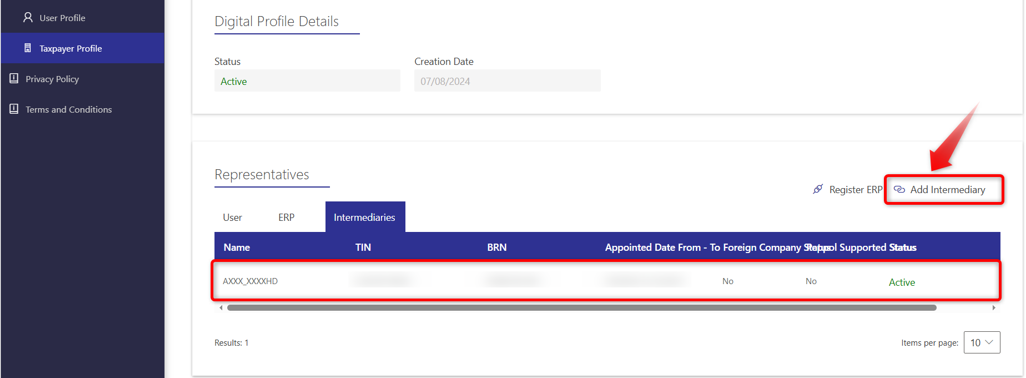
Note: For steps to maintain Intermediaries in MyInvois Portal, please refer to the guide below:
Solution (2):
Check Appointed Date (Representation From – To).
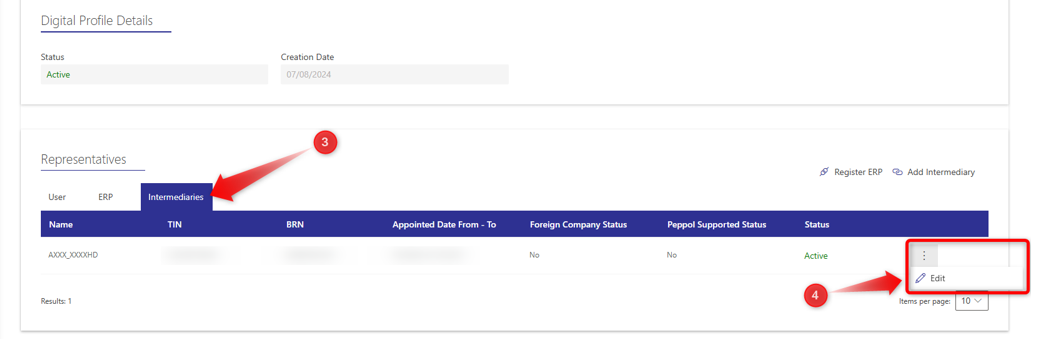
1) Go to View Taxpayer Profile > Representatives > Intermediaries, click on Edit for AXXX_XXXXDN BHD intermediary.
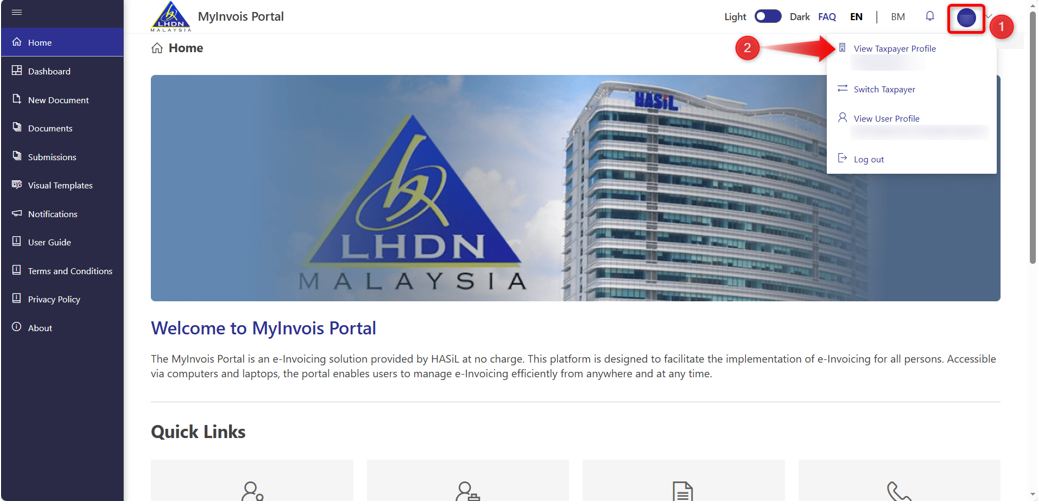
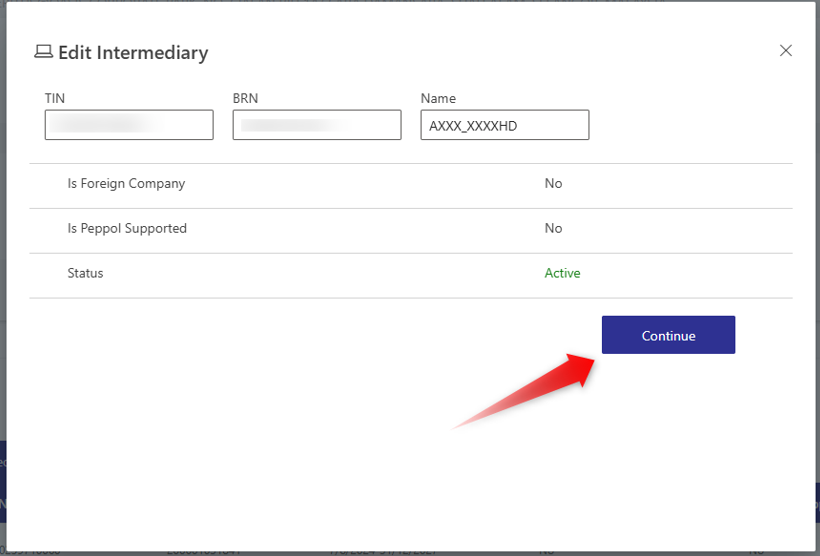
2) Click on Continue.
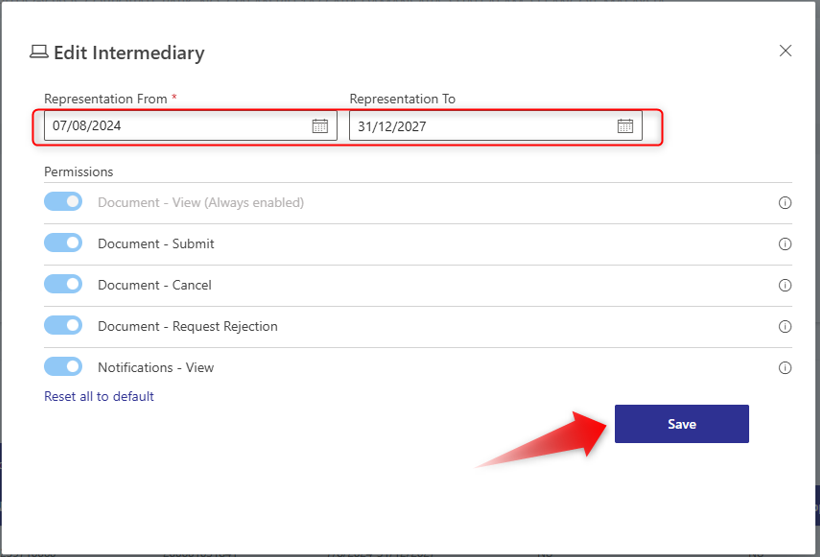
3) If the Representation From date is not set to the current date and the Representation To date has already expired (past date), please update both dates accordingly and ensure the required permissions are enabled to avoid errors during submission. Then, click Save.
4) Please wait for the changes to take effect (it may take approximately 30 minutes based on experience). After that, you may open the document and proceed to Re-submit it.
By: Rotcana 260203, Lay Swan 260226