
Question:
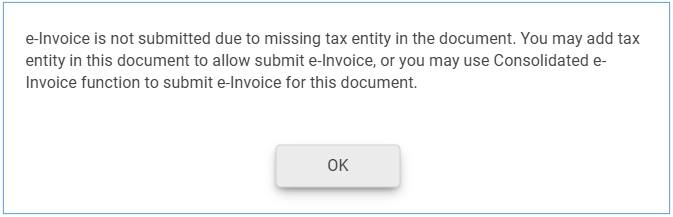
Why when I approved the invoice to submit as e-Invoice, system prompt message “e-Invoice is not submitted due to missing tax entity in the document. You may add tax entity in this document to allow submit e-invoice, or you may use Consolidated e-Invoice function to submit e-Invoice for this document.”
Possible Reason:
This happens when a Tax Entity has not been assigned to the customer in Invoice.
Solution:
You may submit this Invoice later using the Consolidated e-Invoice function.
If you wish to submit it as an individual e-Invoice, please refer to the steps below.
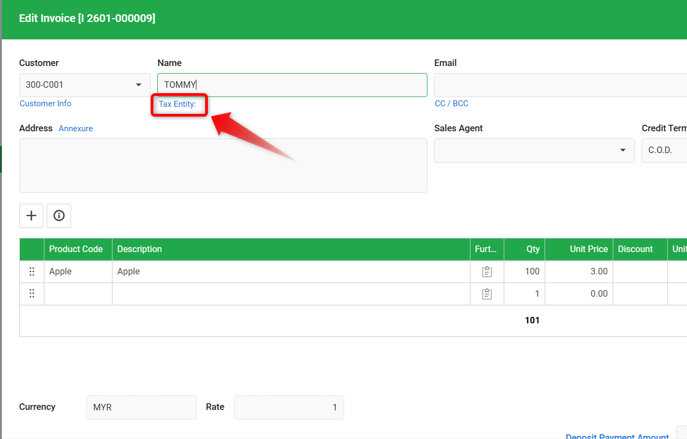
1) To submit as individual e-Invoice, edit the Invoice and click on Tax Entity:.
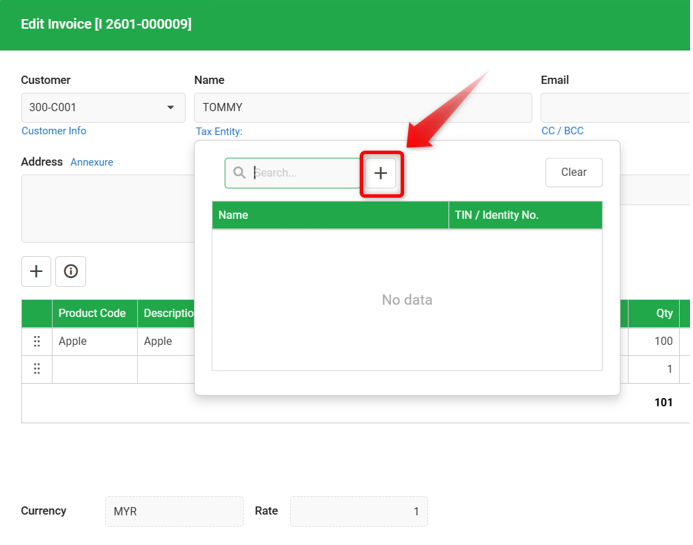
2) Click on ‘+’ to add Tax Entity > Maintain Tax Entity as needed.
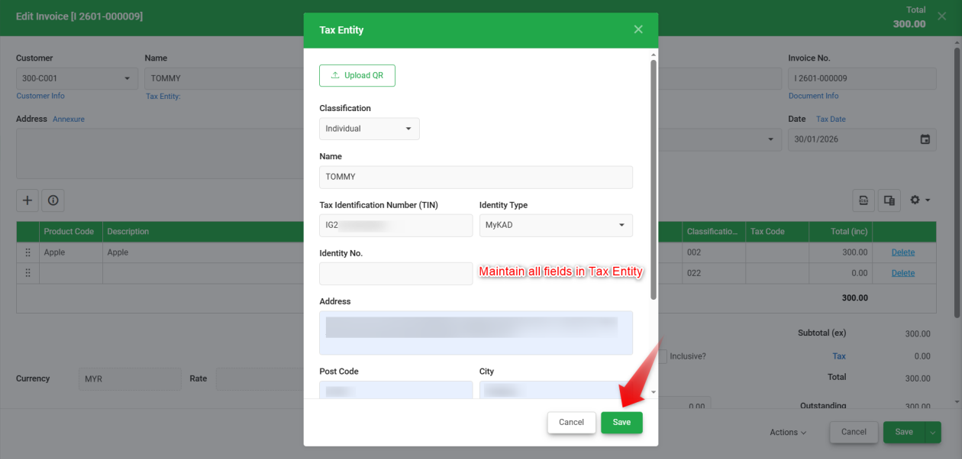
3) Once the Tax Entity is successfully created, it will appear in the Tax Entity field.
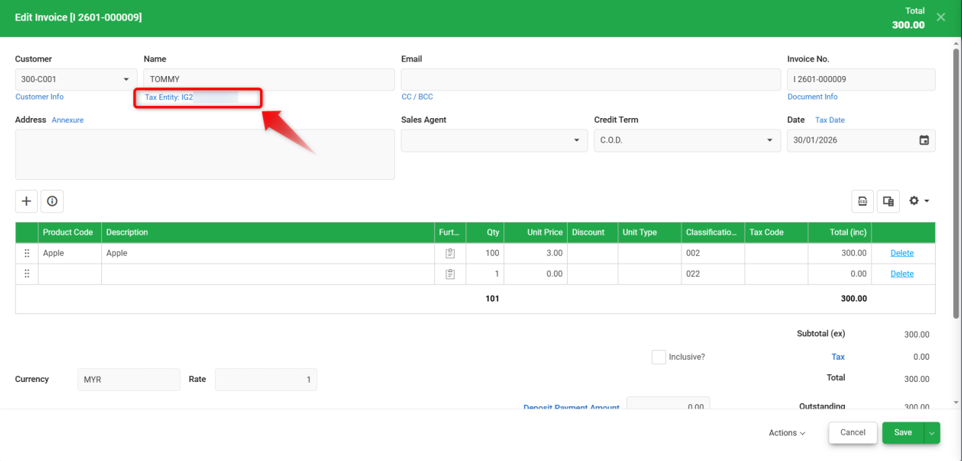
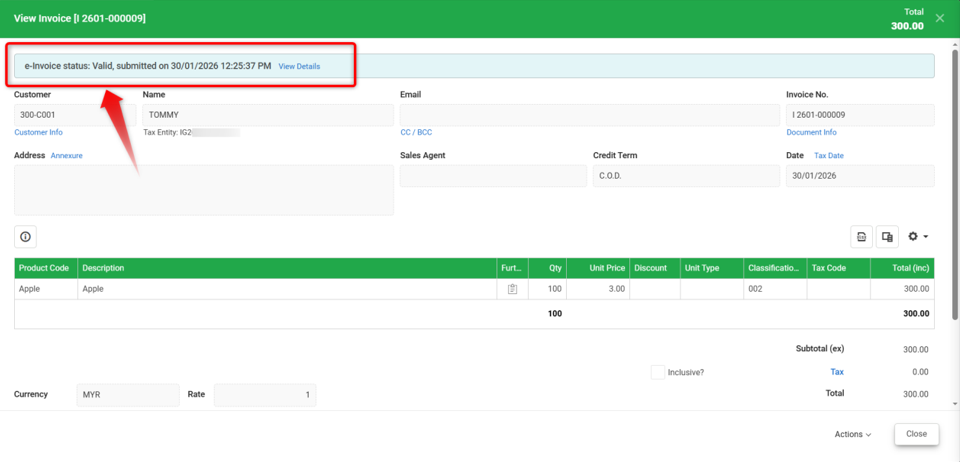
4) Proceed to Save the Invoice again. The e-Invoice should now be submitted successfully.
By: Rotcana 260203, Lay Swan 260226