
Question:
How can I set up the system to automatically email validated e-Invoices to my customers?
Answer:
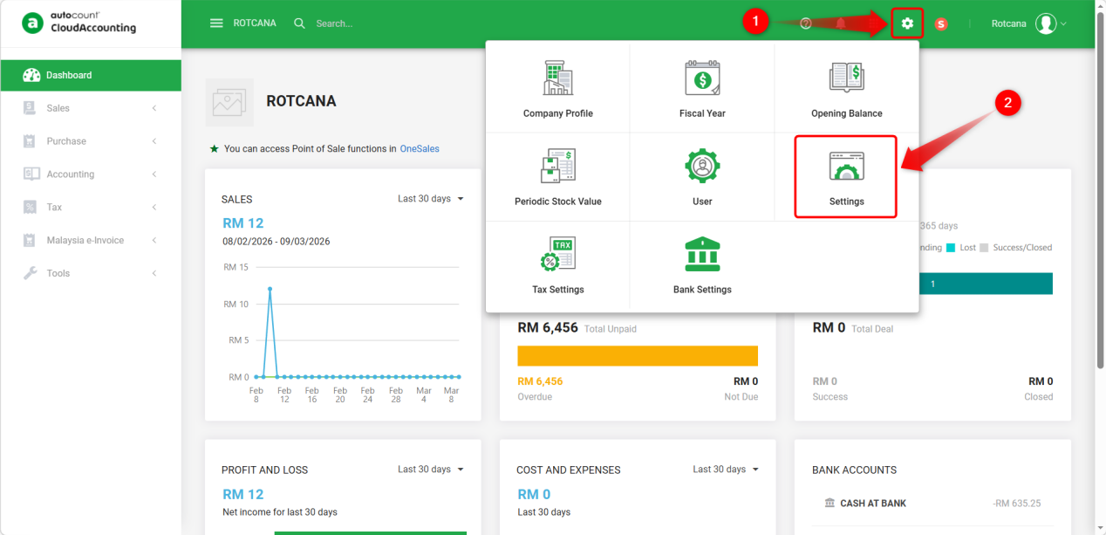
1) Go to Account Book icon > Settings.
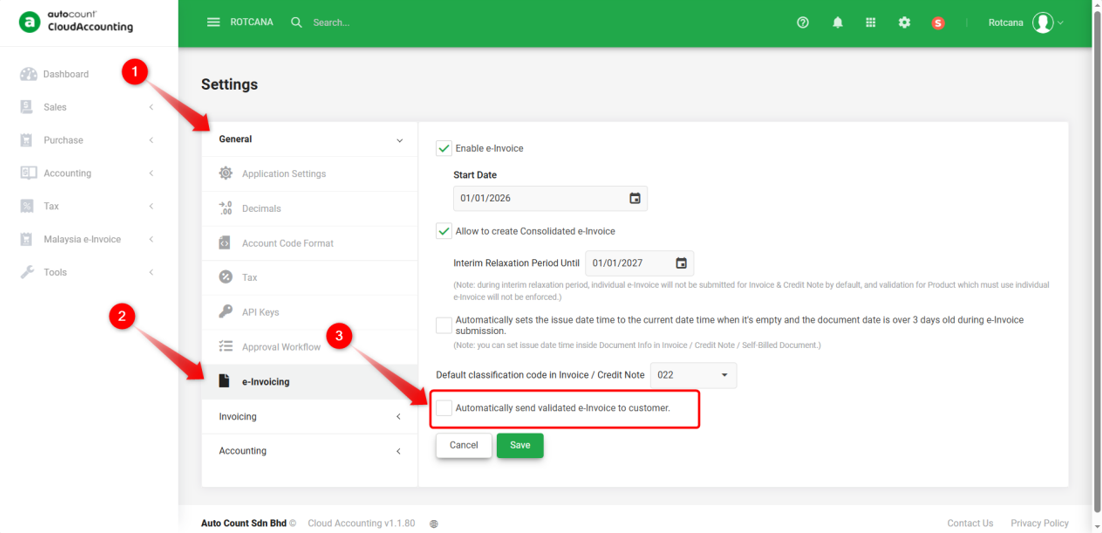
2) Navigate to General > e-Invoicing, tick the option “Automatically send validated e-Invoice to customer”.
3) Maintain the sender’s name and email. The system provides two options: Invoice and Credit Note.
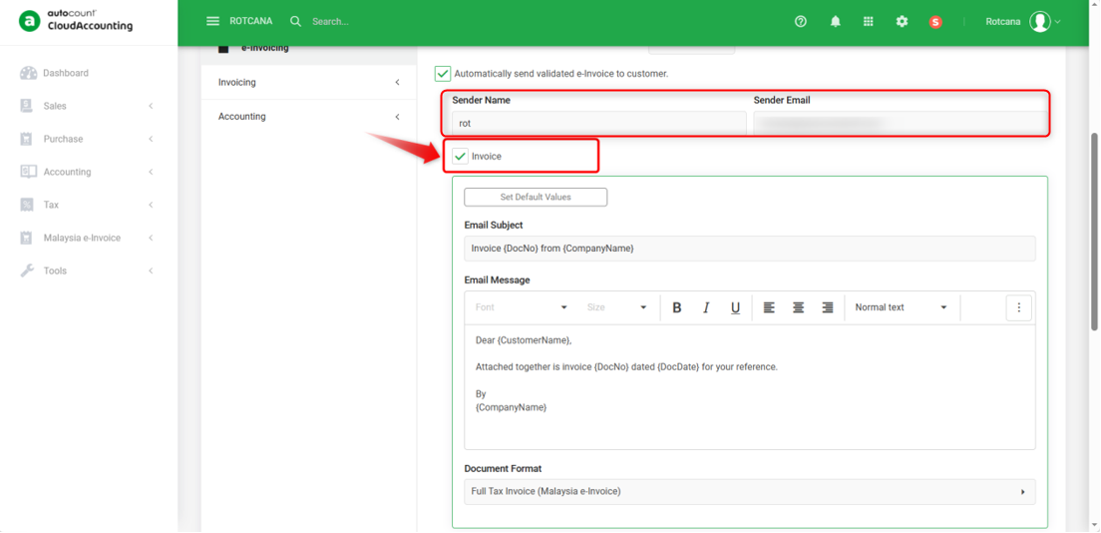
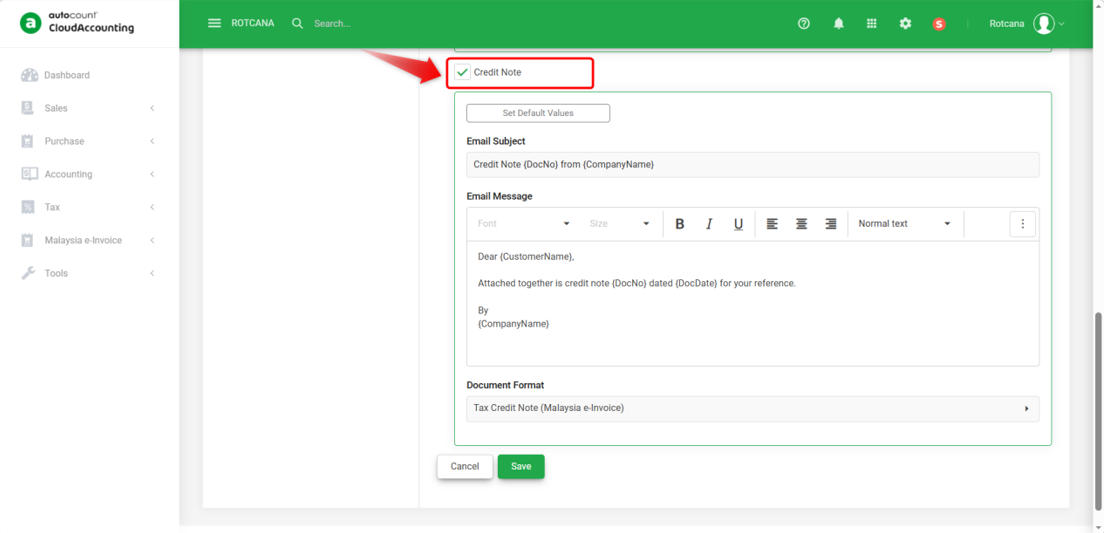
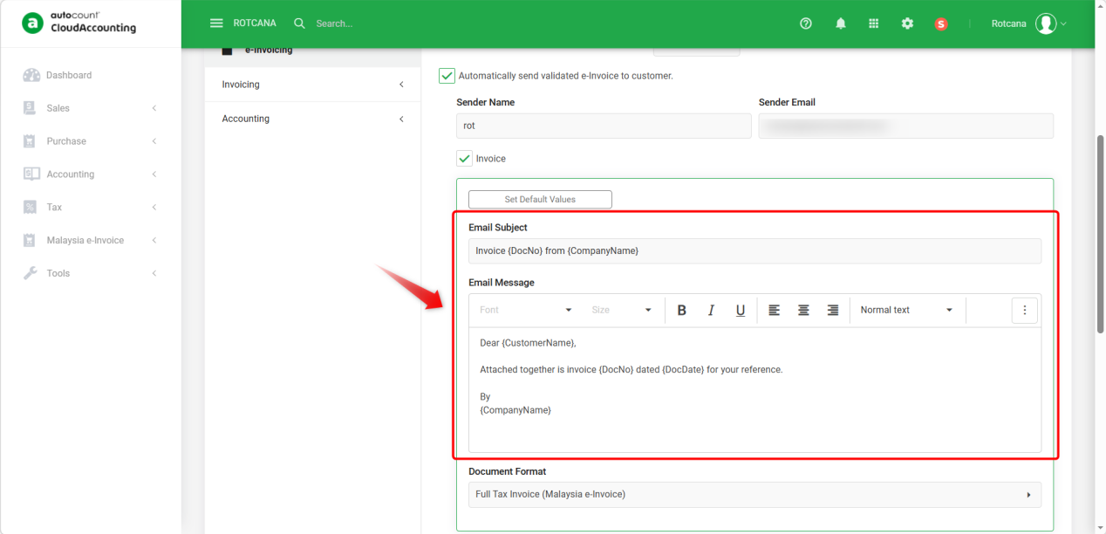
4) The system provides a default email template. You may customize the Email Subject and Email Message as needed.
*Note:
Wording such as {DocNo}, {CompanyName} will be automatically filled by the system.
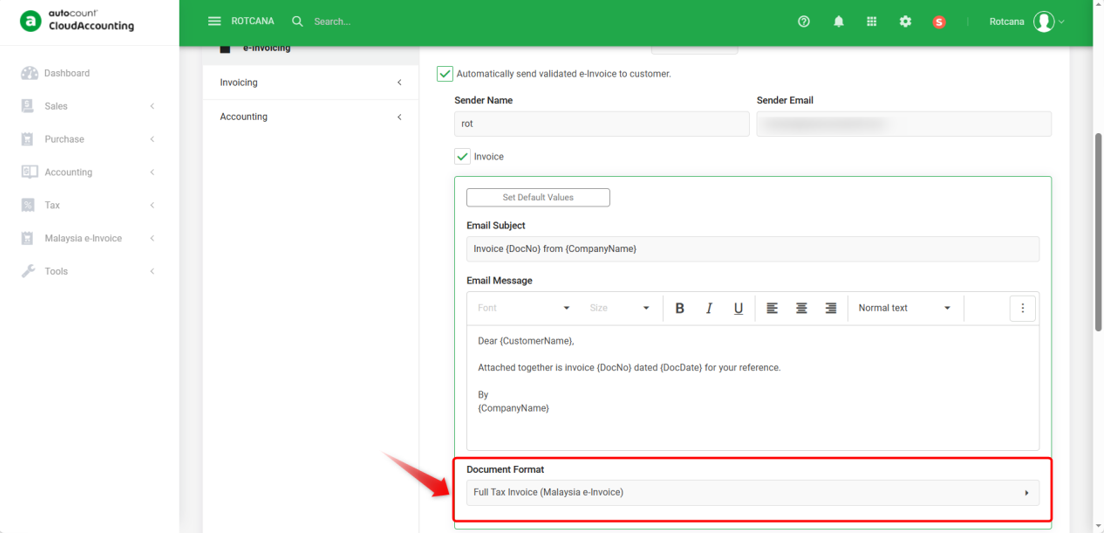
5) Choose the default Document Format to be sent to customers once the e-Invoice is validated.
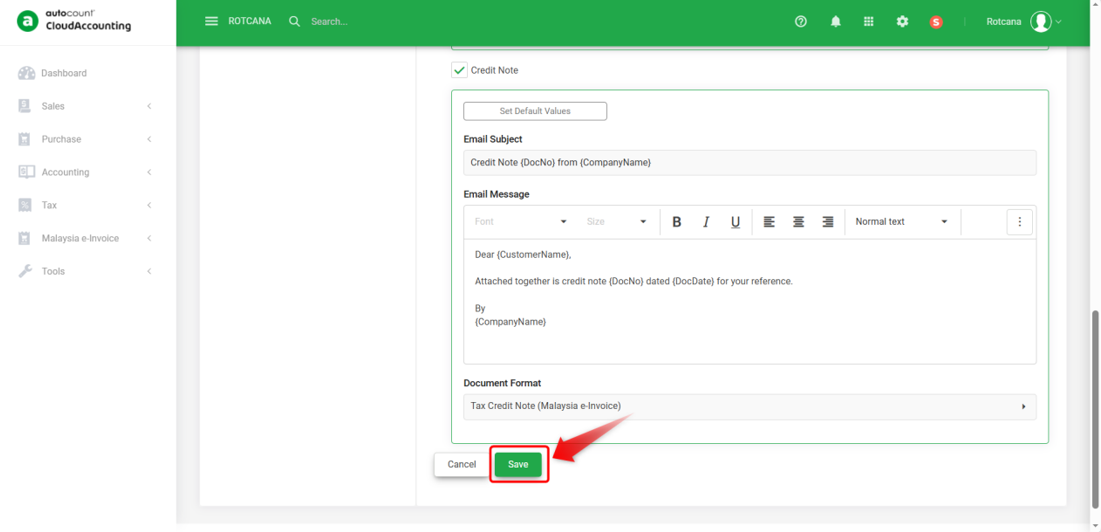
6) Click Save.
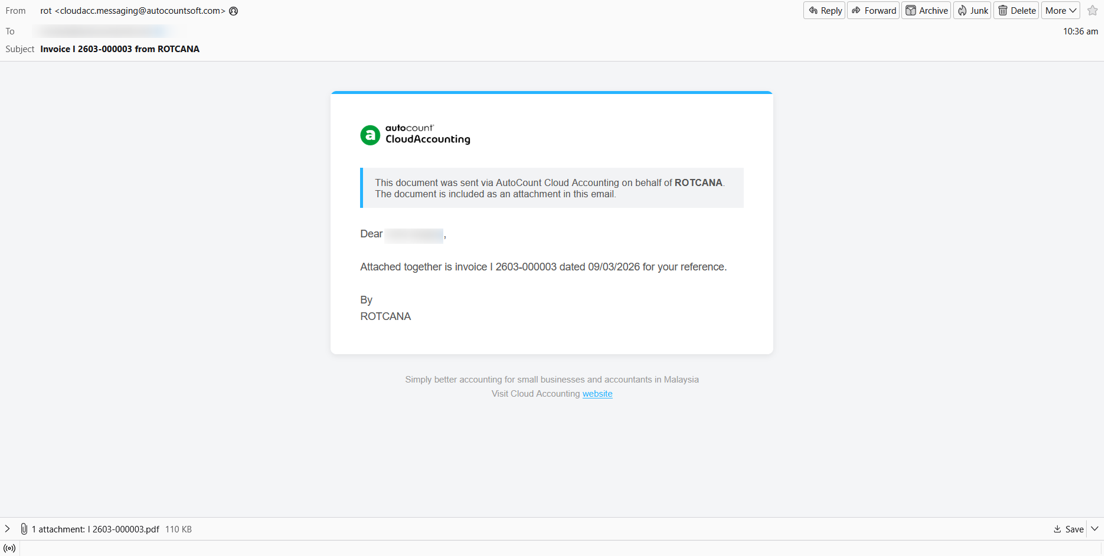
7) When an Invoice is created and validated, an email will be automatically sent to the customer, as shown in the example below.
*Note:
The email will only be sent if the customer’s email address is maintained in the Invoice.

By: Rotcana 260311, Lay Swan 260330