
Question:
How can I permanently show the Service Tax Registration Number in Design Report?
Answer:
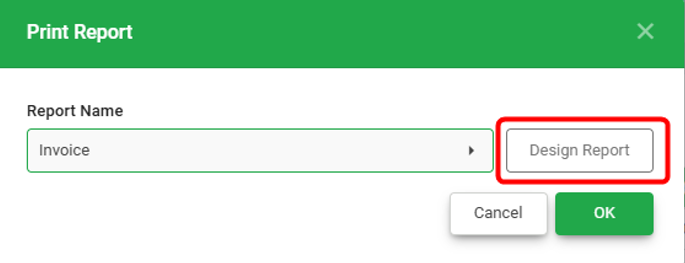
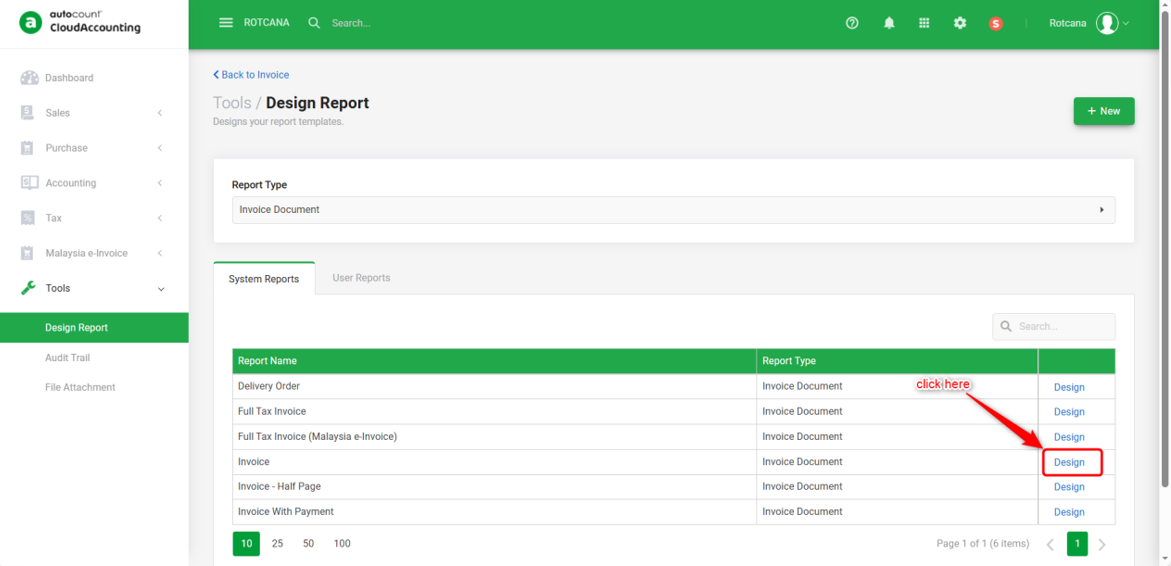
1) To design the report, click Print and click 'Design Report' button on the right side. Click 'Design' on the report that you wish to amend.
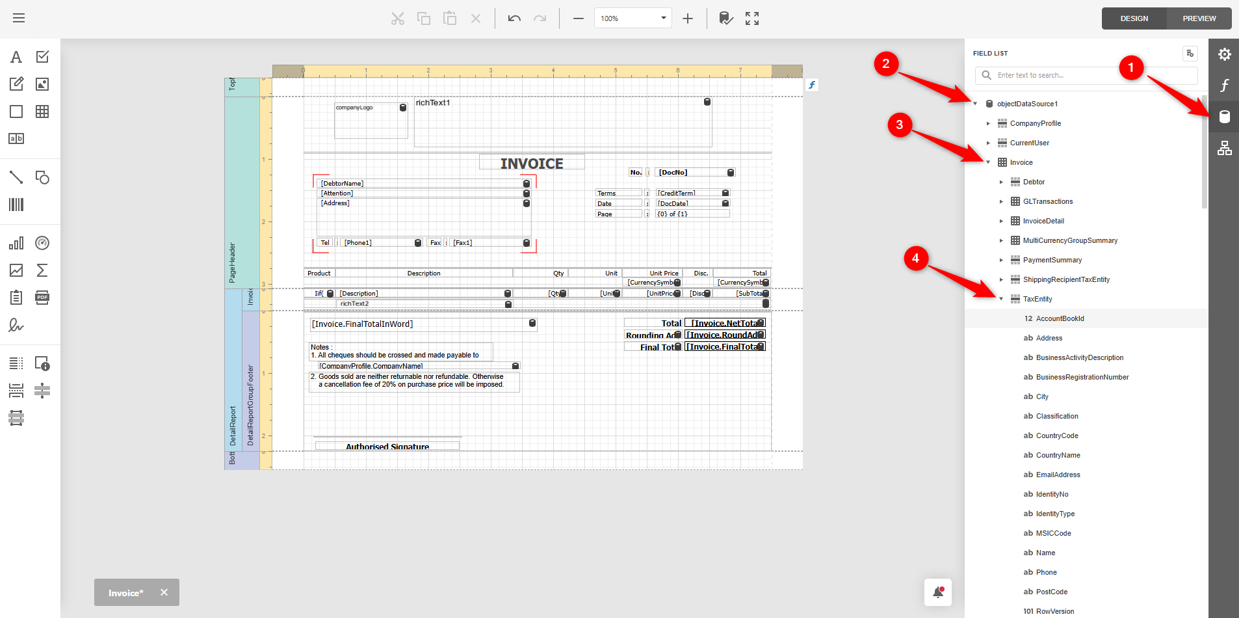
2) In the Report Design, go to Field List icon (1) > expand objectDataSource1(2) > expand Invoice (3) > expand TaxEntity (4) > scroll down to find SSTRegistrationNumber.
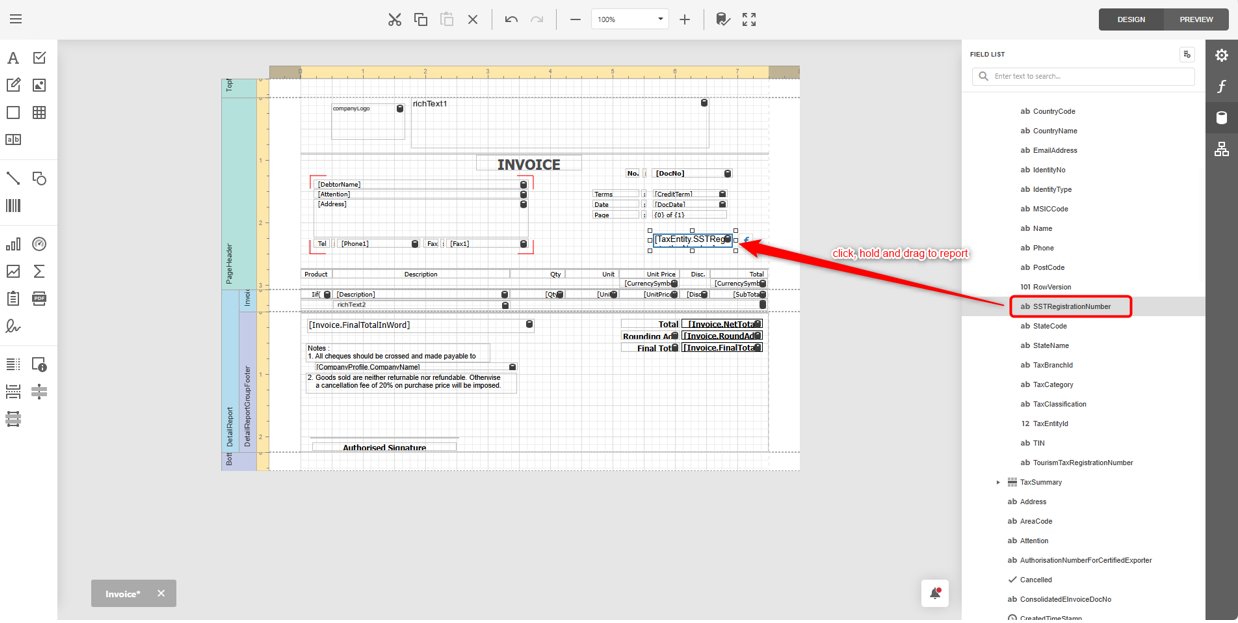
3) Click, hold and drag out SSTRegistrationNumber to the desired position on the report.
4) After done, you may click the Menu on the top left, click on Save As and rename to new report as the original system Report is not allowed to amend and save.
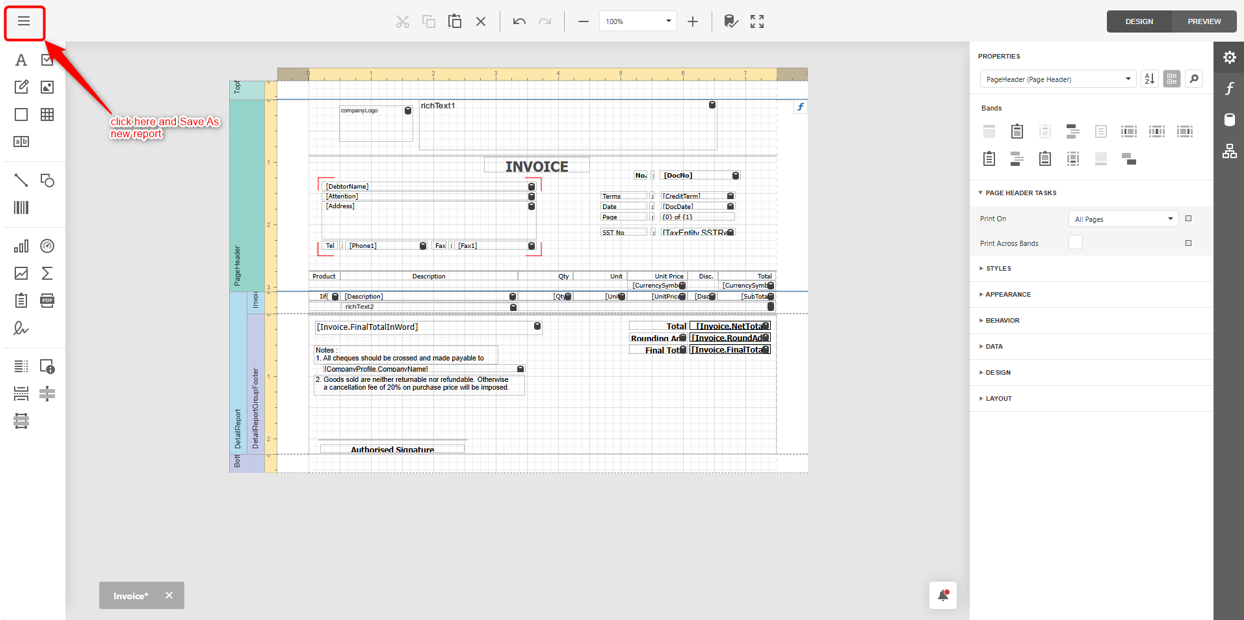
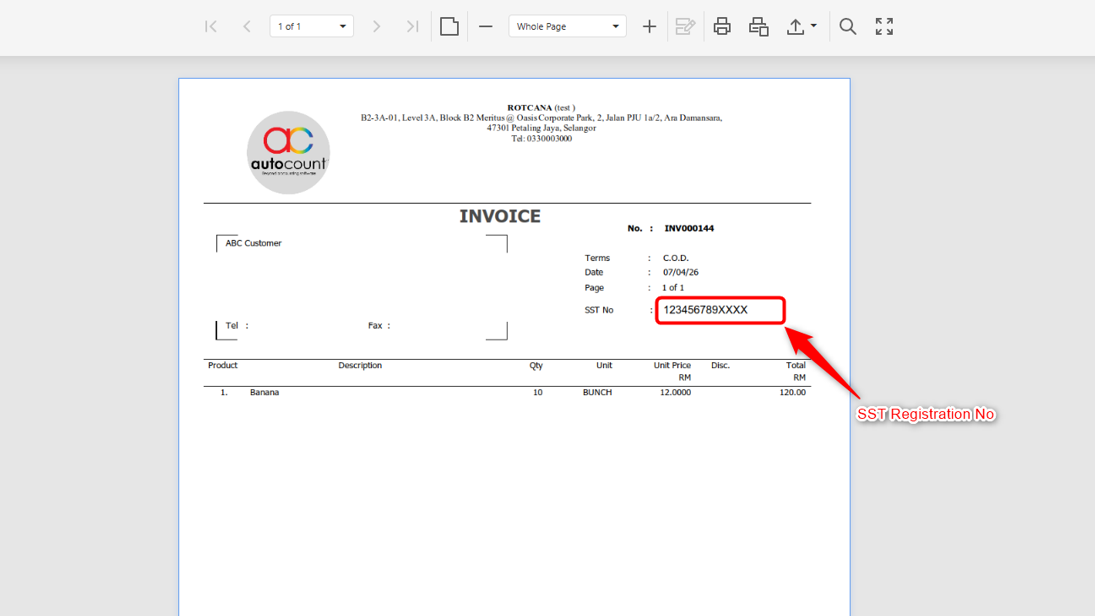
5) You will now be able to see the SST Registration Number when preview report.
Note:
1) The same steps can also be used to display Business Registration Number, MSIC code, and TIN.
2) To add label for the SST No., may refer to the link how to add label in design report.
By: Rotcana 260427, Lay Swan 260526