
Question:
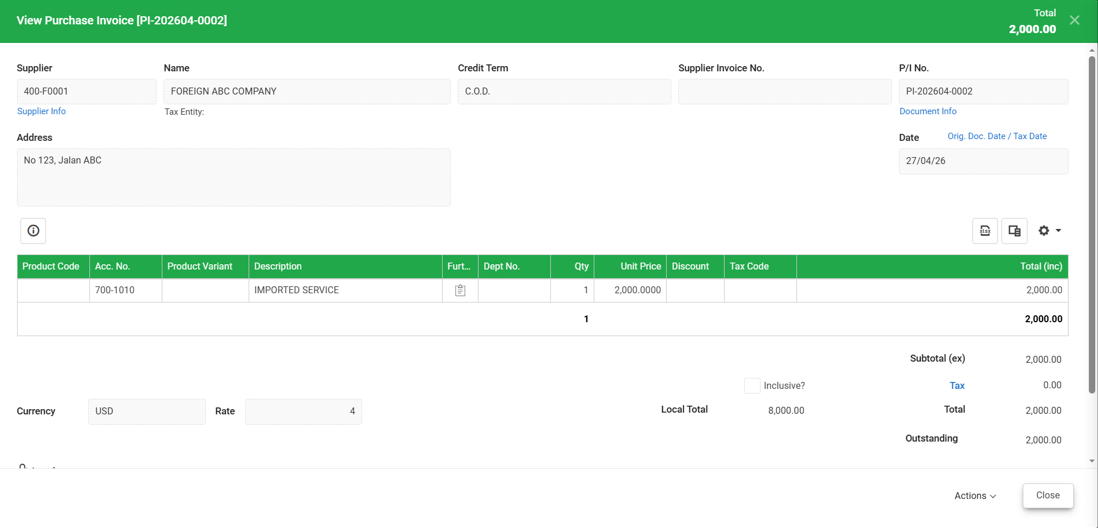
I have already created a Purchase Invoice for my imported service. I need to record Imported Service Tax. How can I record it, and which tax code should I select in Cloud Accounting?
Answer:
For Imported Service Tax in Cloud Accounting, a journal entry must be created for the amount to be reflected in the SST Processor.
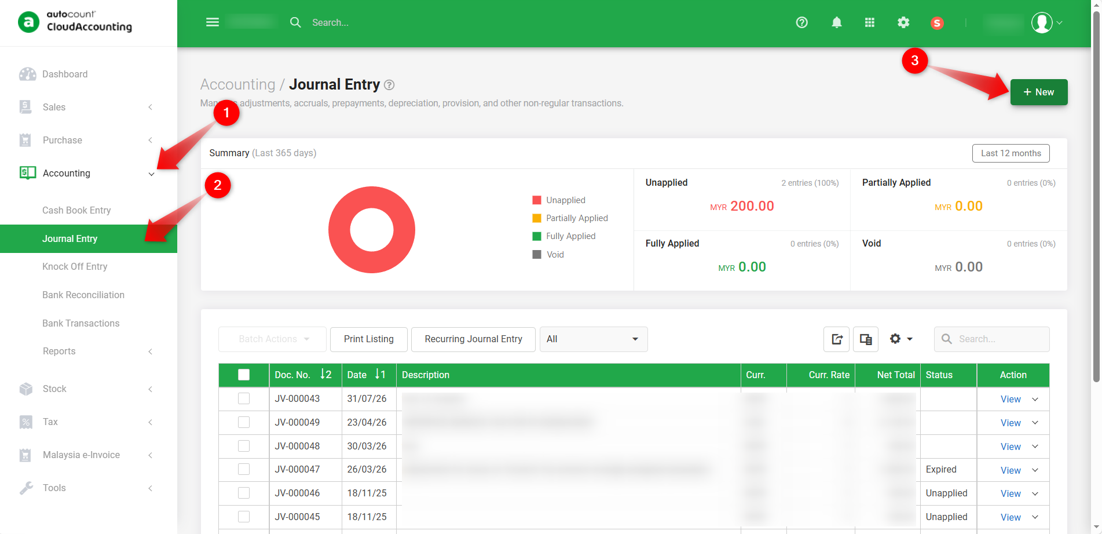
1) Go to Accounting > Journal Entry and click +New.
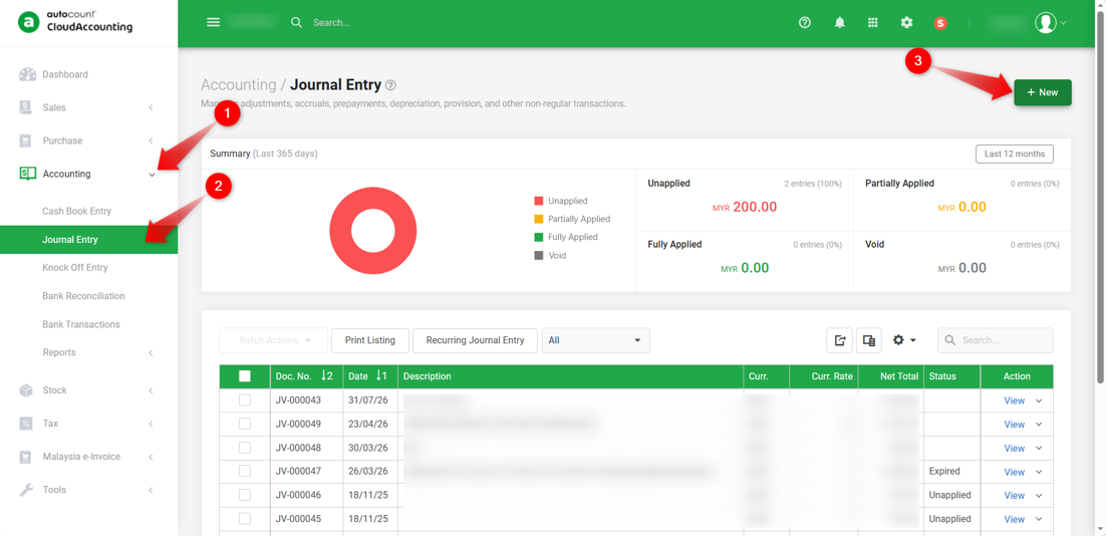
2) In the Journal Entry, select the appropriate account and apply the required Tariff Code.
Example:
Credit Sales USD 2,000, selecting Tax Code SVI-6, the tax amount of USD 120 will be auto calculated by the system.
Debit Sales USD 200
Debit Purchase USD 120
Once completed, click Save or Approve to save the journal entry.
3) You can verify the posting in the Ledger Report.
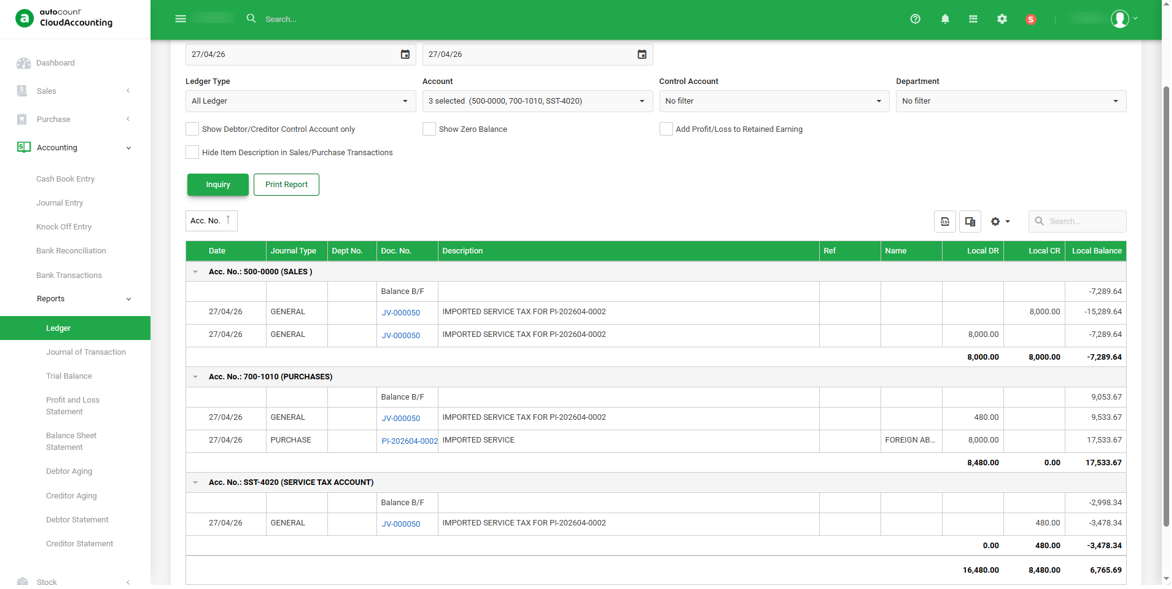
4) When running the SST Processor, the amount will be capture in SST Return for the selected period.
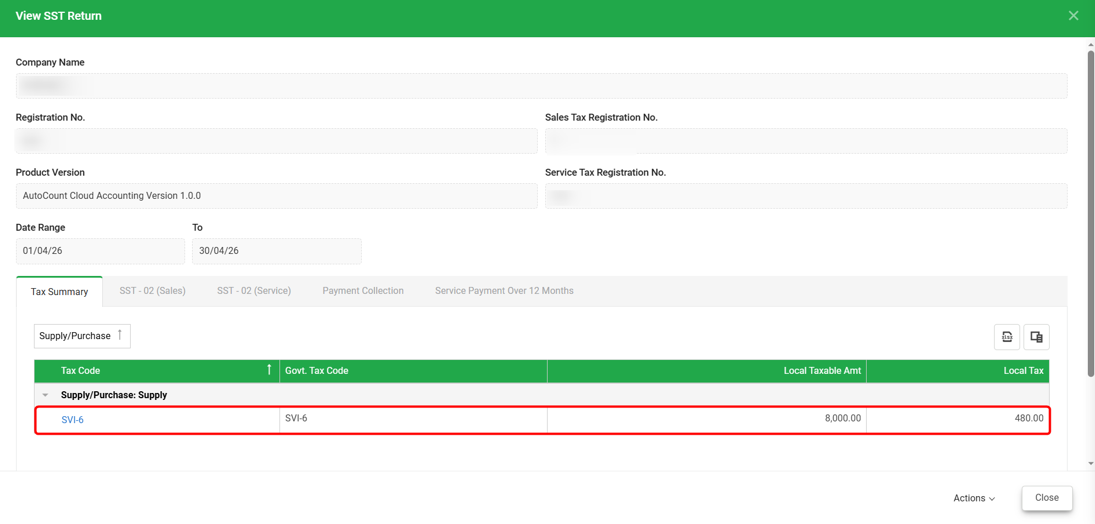
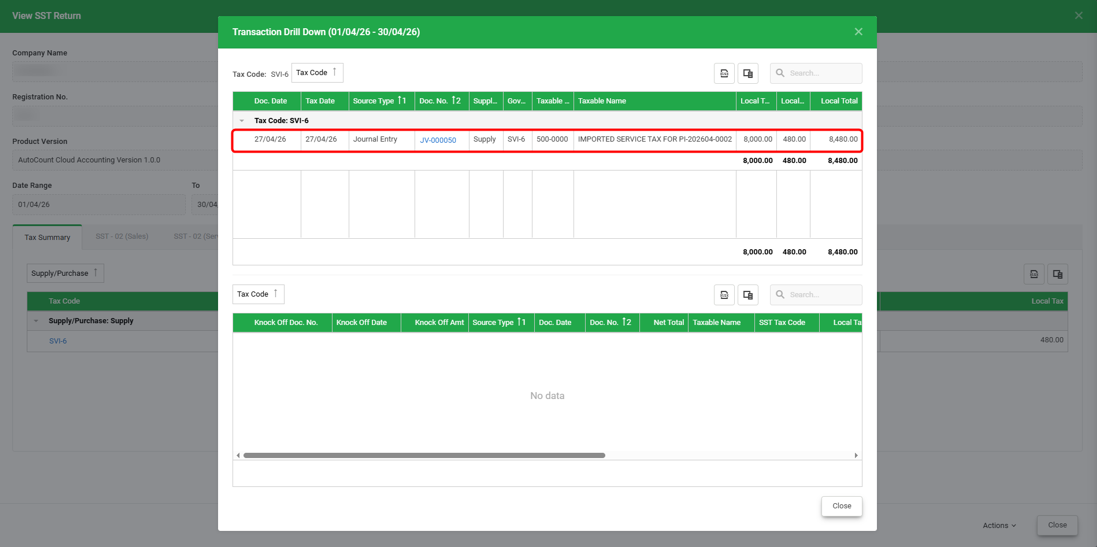
5) Click on the blue tax code to drill down and view the related Journal Entry.
Notes:
1) Available Imported Service Tax codes in the system are SVI-6 or SVI-8.
2)These tax codes are based on the Accrual Basis.
By: Rotcana 260427, Lay Swan 260526