
Question:
How do I record delivery charges in my transactions? I do not want to manually key in description every time.
Answer:
Delivery charges can be set up as a service product to make selection easier during transaction entry.
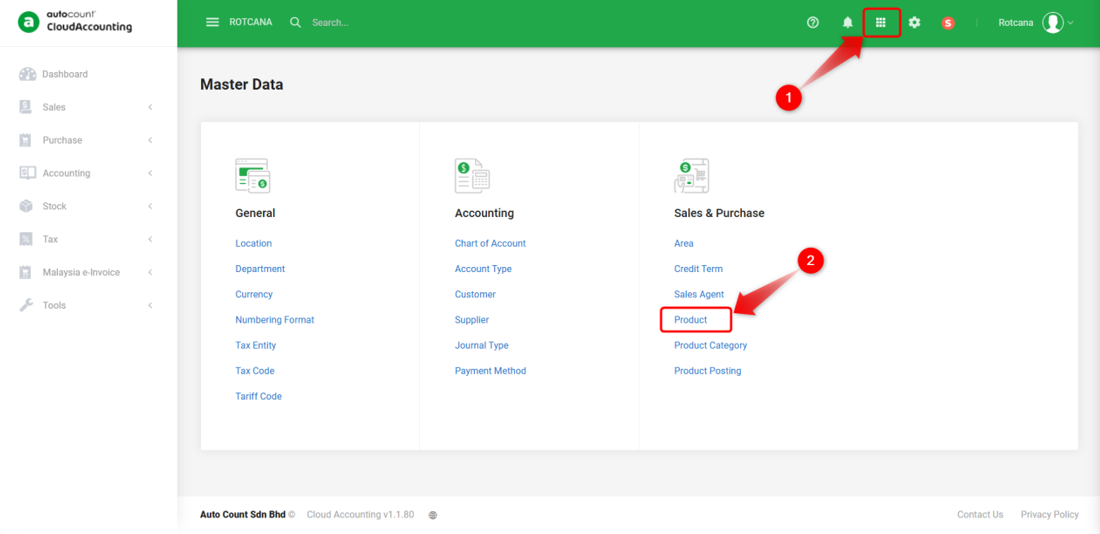
1) Go to Master Data > Product.
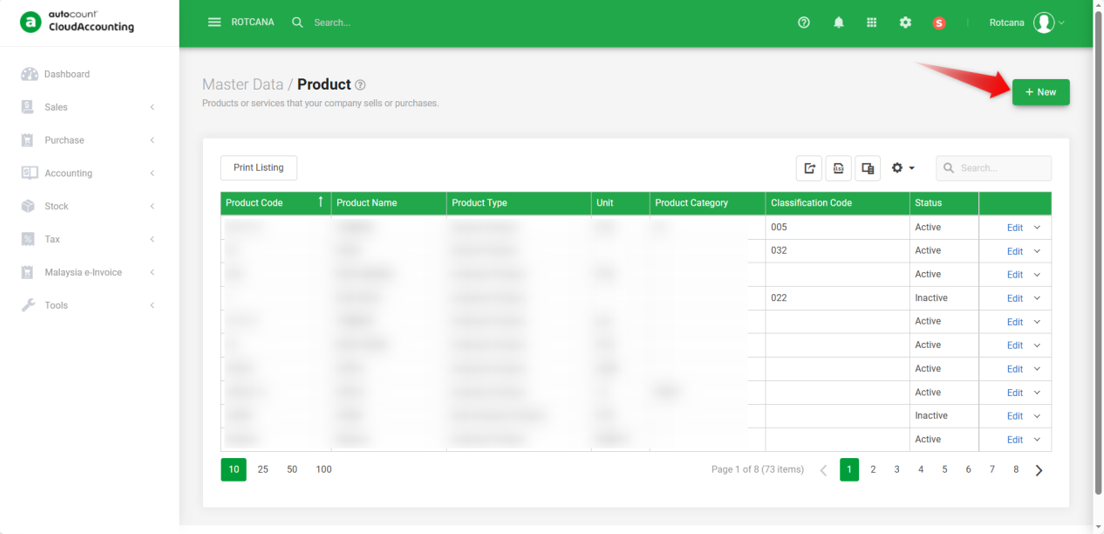
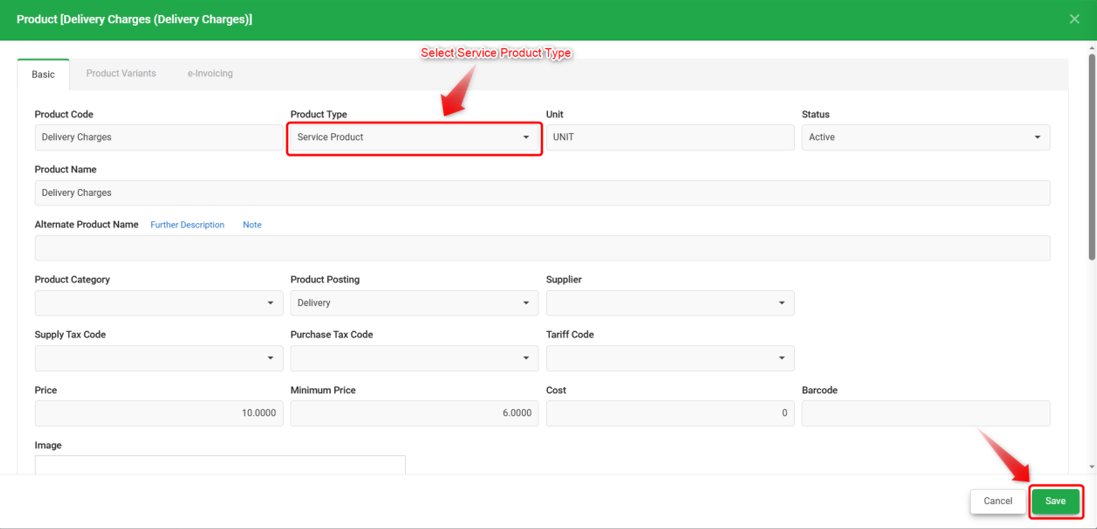
2) Click +New, key in product code, product name, and other needed details. Make sure to select Product Type Service Product. Once completed, click Save.
*Service Product Type will not be considered in Stock Reports.
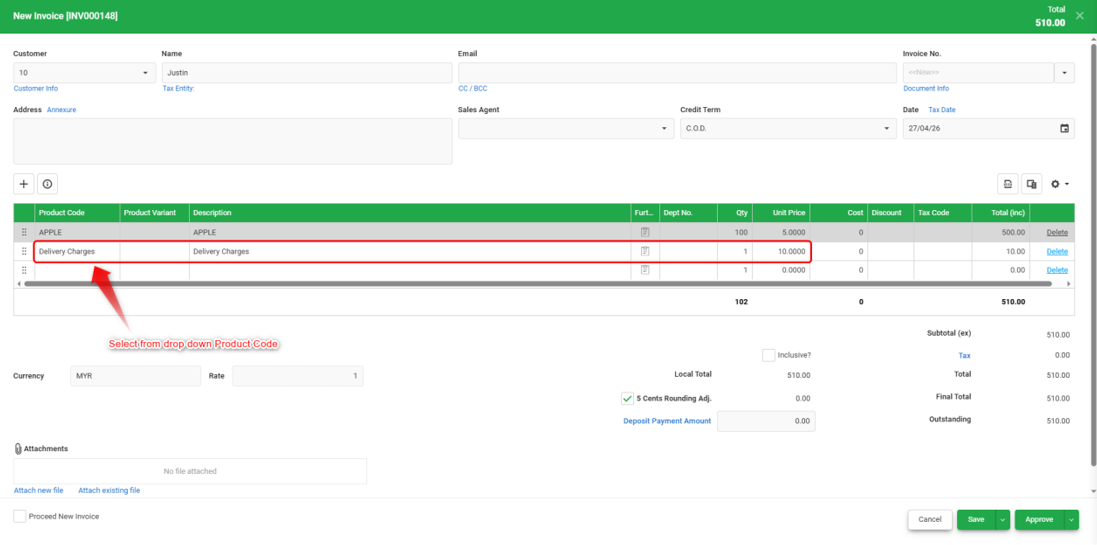
3) You will be able to select the delivery charges product directly during transaction entry without manually typing the description every time.
Notes:
1) If you have created a specific Product Posting for delivery charges, you may also assign it accordingly. For product posting setup, refer to: https://help.accounting.autocountcloud.com/support/solutions/articles/69000387030-product-posting
2) This method can also be applied to other charges such as shipping fees, handling fees, or miscellaneous service charges.
By: Rotcana 260427, Lay Swan 260526