
Question:
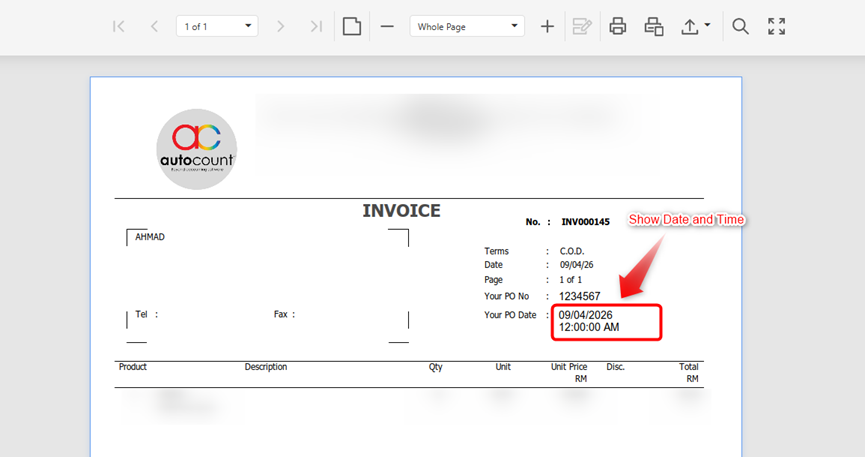
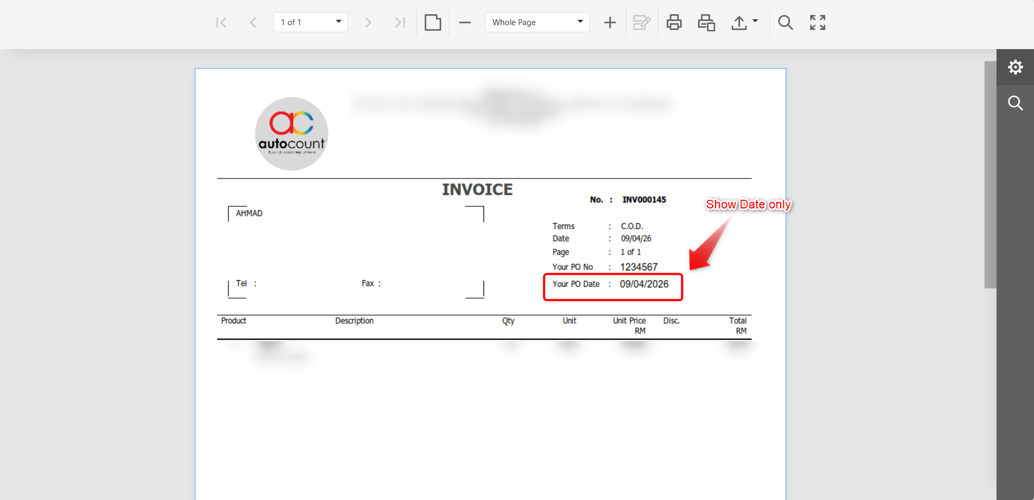
I had pull out “Your P/O date” into report, but it shows date and time. If I only want to show the date, how do I adjust it?
Answer:
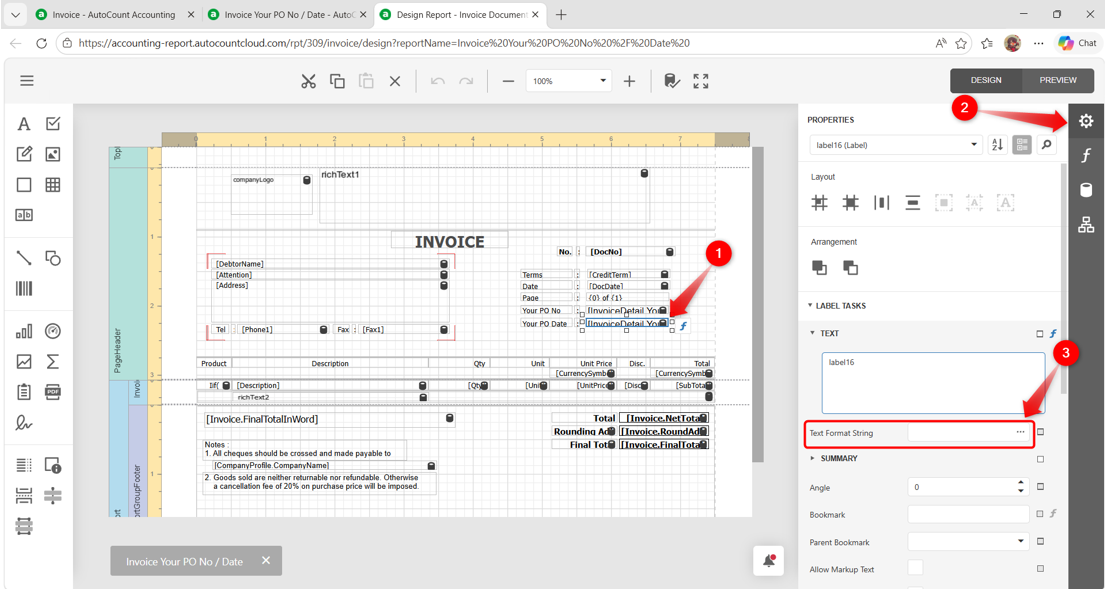
1) In the Design Report, click on the YourPODate field (1). Under Properties (2), click the ellipsis at Text Format String (3).
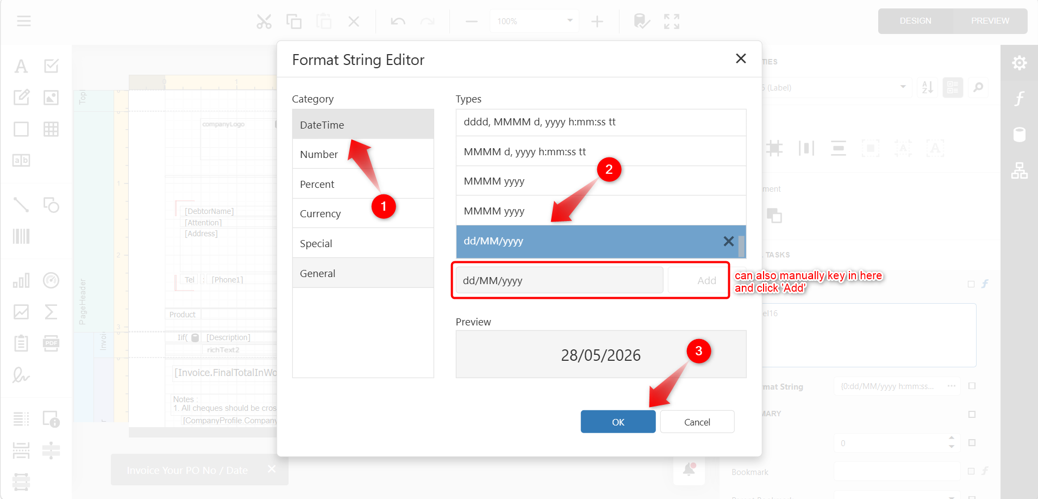
2) In the Format String Editor, click on DataTime (1) > select the required Types (2) (e.g dd/MM/yyyy). You may check the Preview to confirm the format. Once confirmed, click OK (3).
Note:
If the required date format is not available in the Types selection, you may manually key in to add the format.
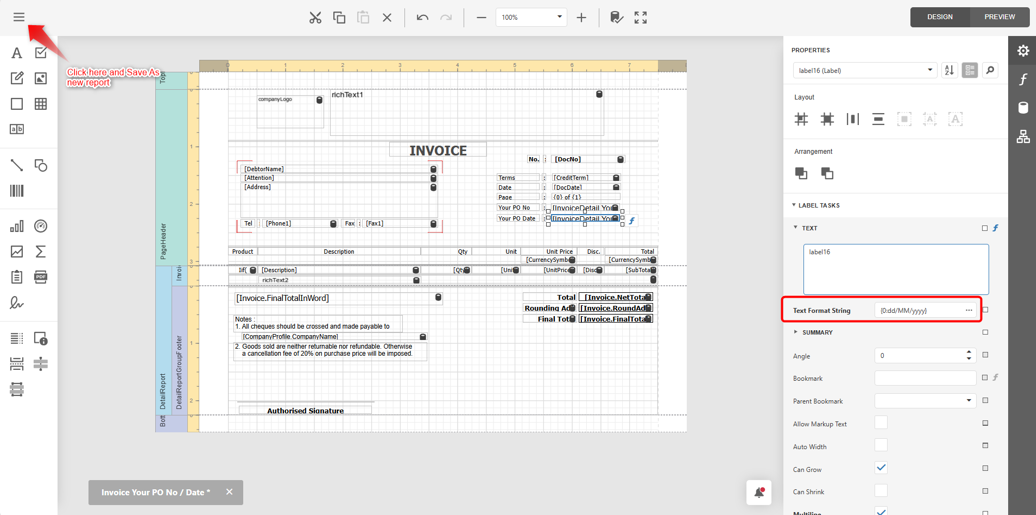
3) The selected format will then appear in the Text Format String column. After done, you may click the Menu on the top left, click on Save As and rename to new report as the original system Report is not allowed to amend and save.
4) You will now be able to see the Your P/O Date showing only the date without the time in the report.
By: Rotcana 260427, Lay Swan 260528