
This guide will show you how to set up your customers for InvoiceNow. You can retrieve your customers’ Peppol ID using the “Get Peppol Account” function.
1. Go to Master Data → Customer.
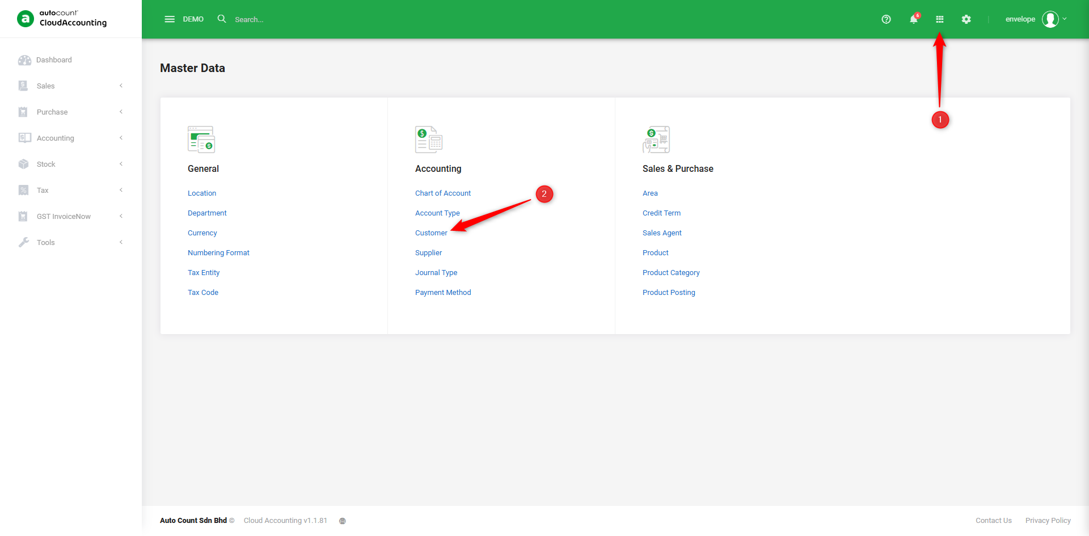
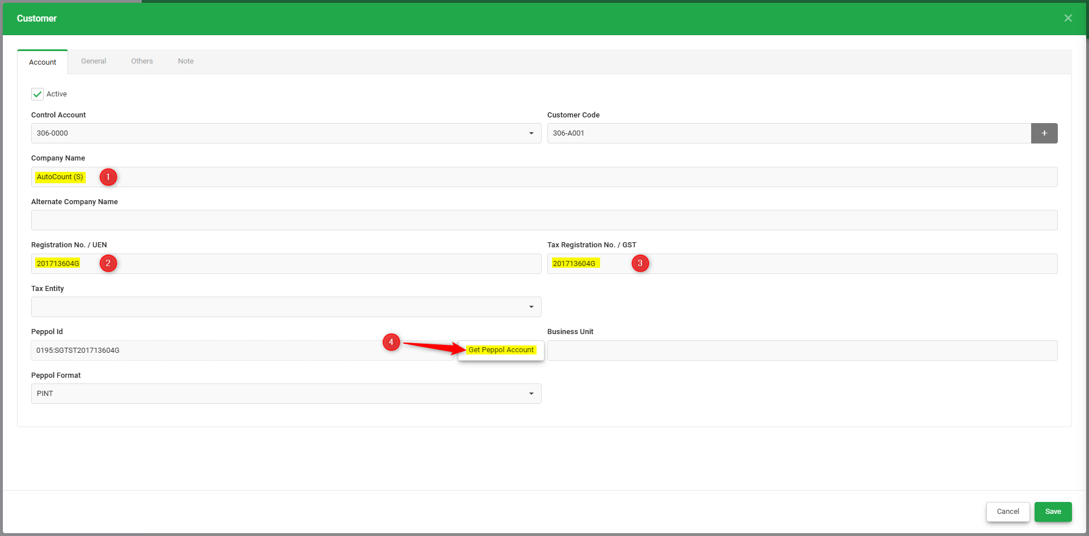
2. To retrieve a customer's Peppol ID, enter the customer’s Registration No./UEN, then click “Get Peppol Account” The system will automatically retrieve and populate the Peppol ID.
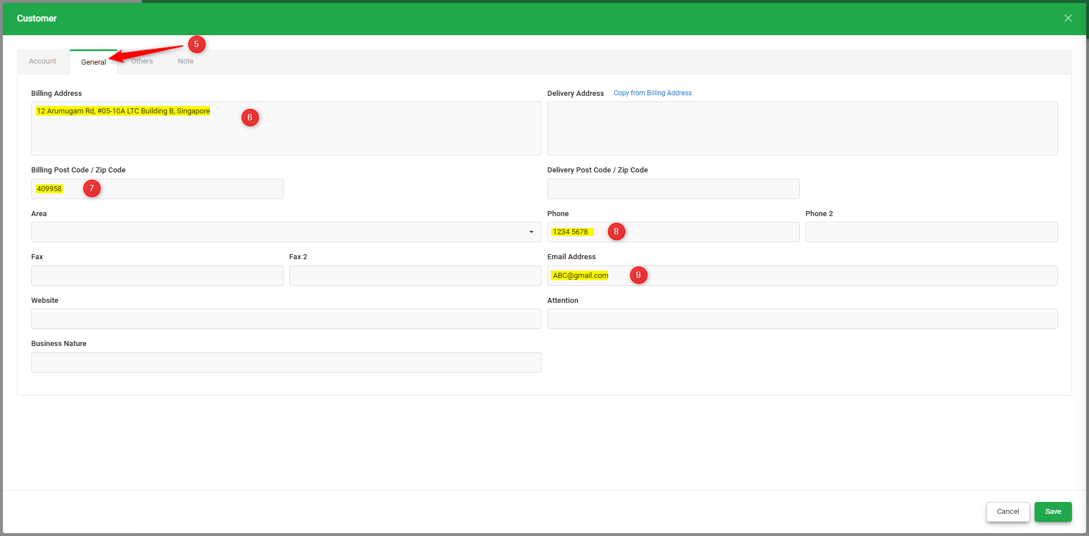
3. After this, go to the ‘General’ tab, make sure the mandatory fields to submit to IRAS via InvoiceNow are filled, including Billing Address, Post Code, Phone, and Email Address.
You are done!
Prepared by Soon Horng, checked by Seck Voon & Stanley