
The Aggregated Transactions function allows users to submit eligible Cash Sales and Cash Purchases to IRAS via InvoiceNow. These transactions can be originated through Invoice, Purchase Invoice, Receipt Voucher, or Payment Voucher, depending on the user's accounting process.
Note: Cash sales recorded through an Invoice can be submitted as Aggregated Transactions if the customer does not have a UEN or a retrieved Peppol account. An eligible Tax Code must be assigned to the transaction before it can be submitted as an Aggregated Transaction.
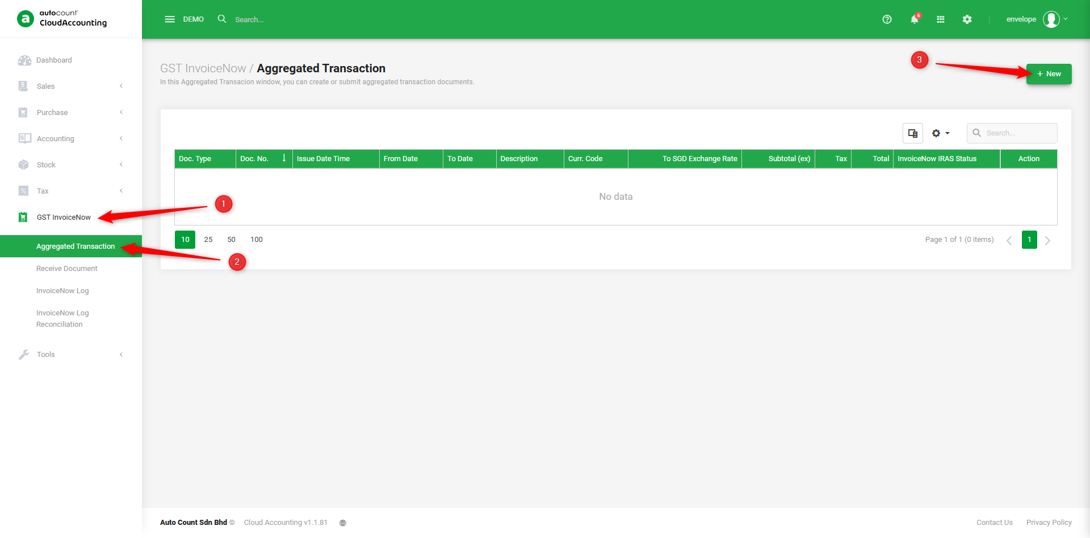
1. Go to GST InvoiceNow → Aggregated Transaction → create “New”.
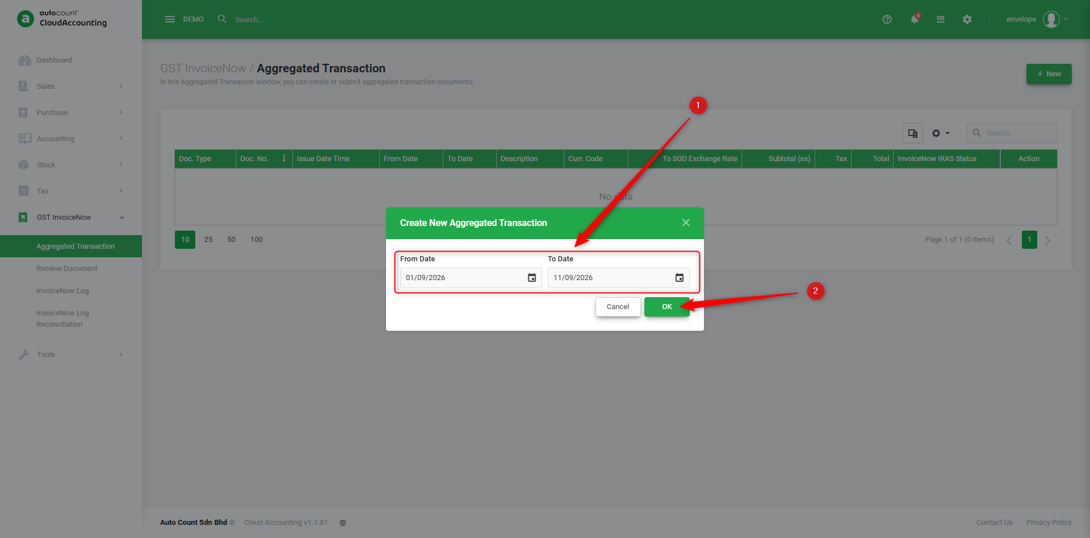
2. Enter the date range to check for transactions during that period → click ‘OK’.
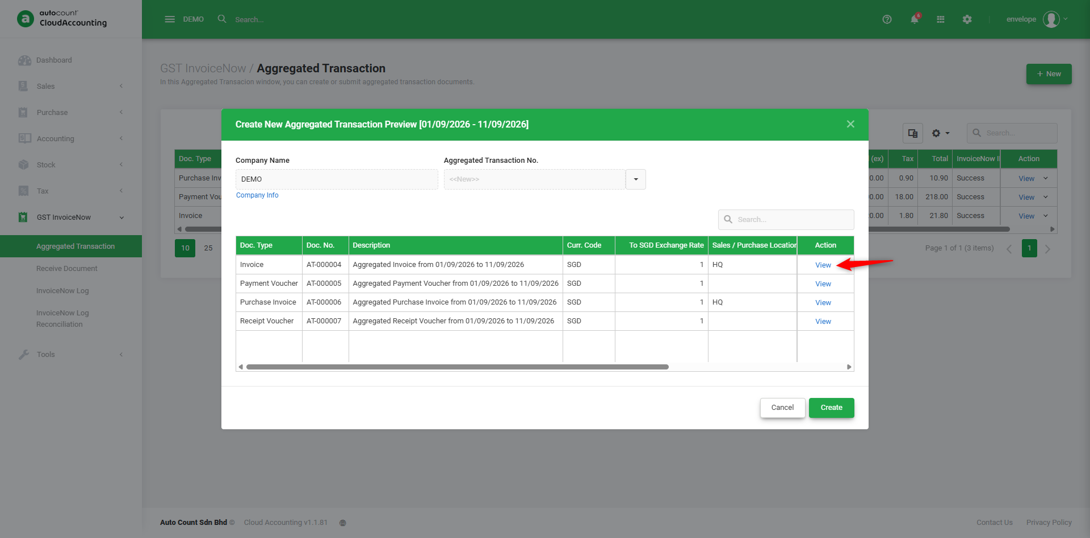
3. Click ‘View’ to check the details.
4. Click ‘Source Documents’ to check your Cash Sales/Cash Purchases transaction details.
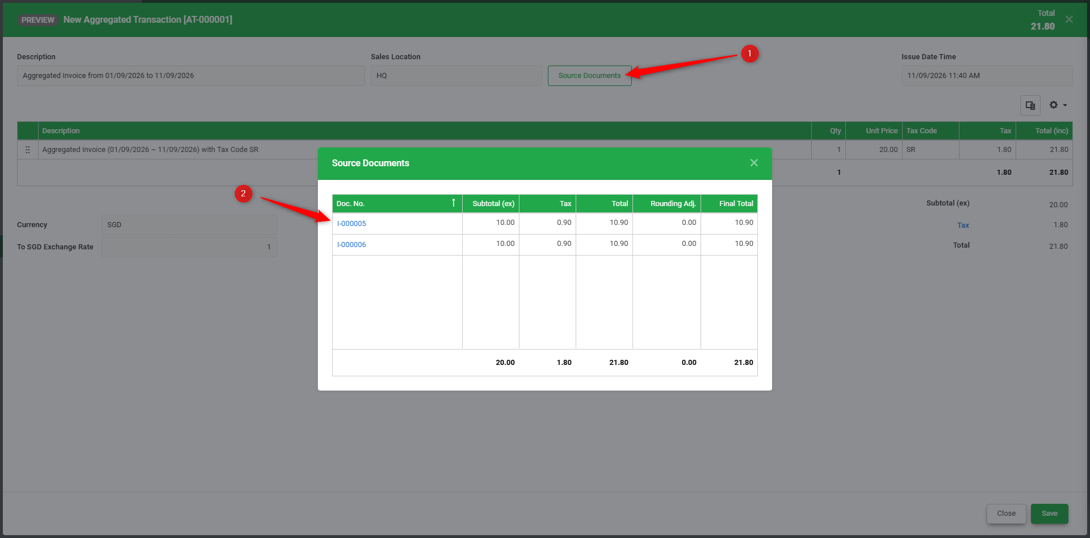
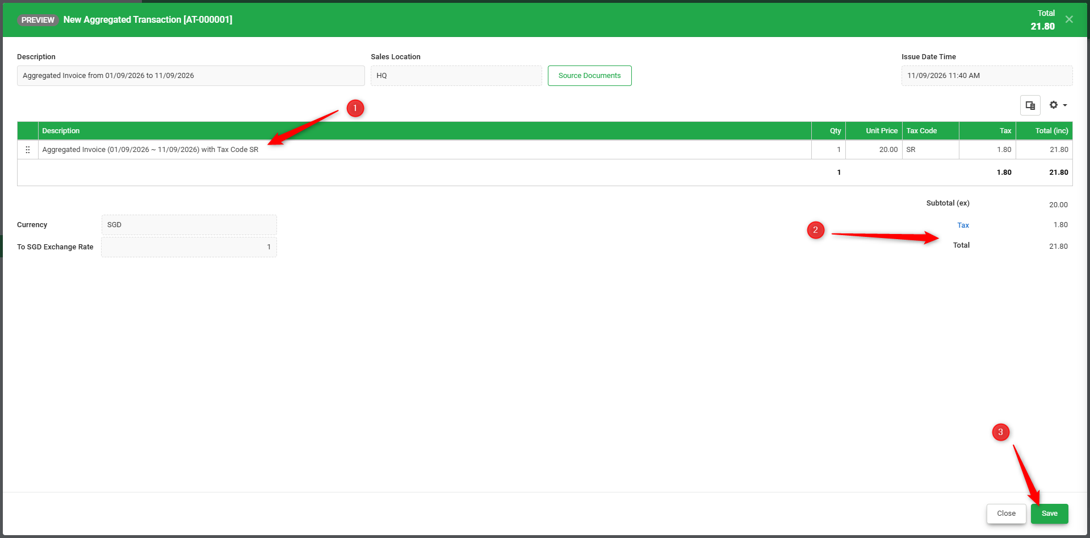
5. Review the Cash Sales transaction details and confirm the total amount and tax are correct → Save.
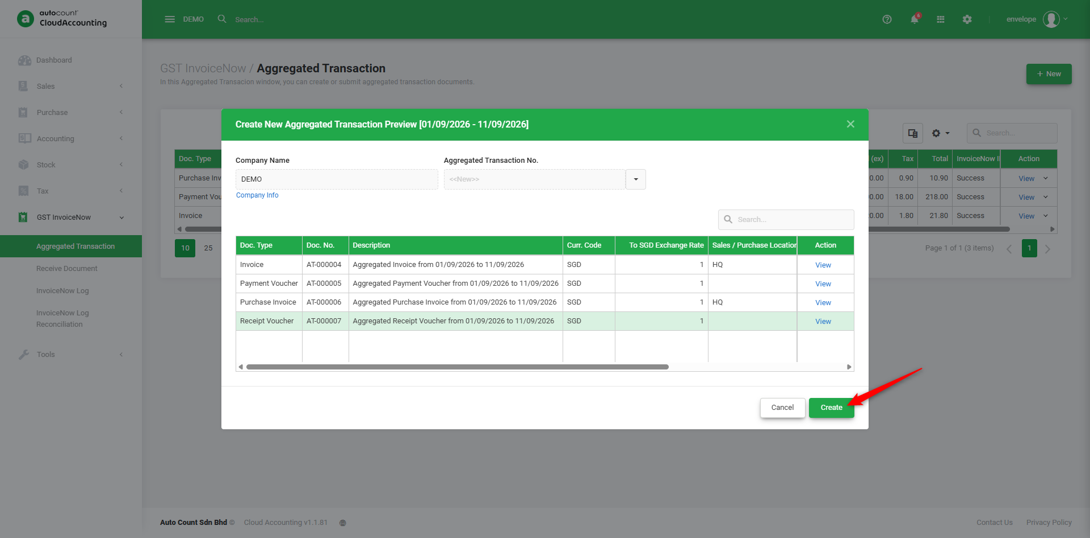
6. Click ‘Create’ once all transaction details are confirmed.
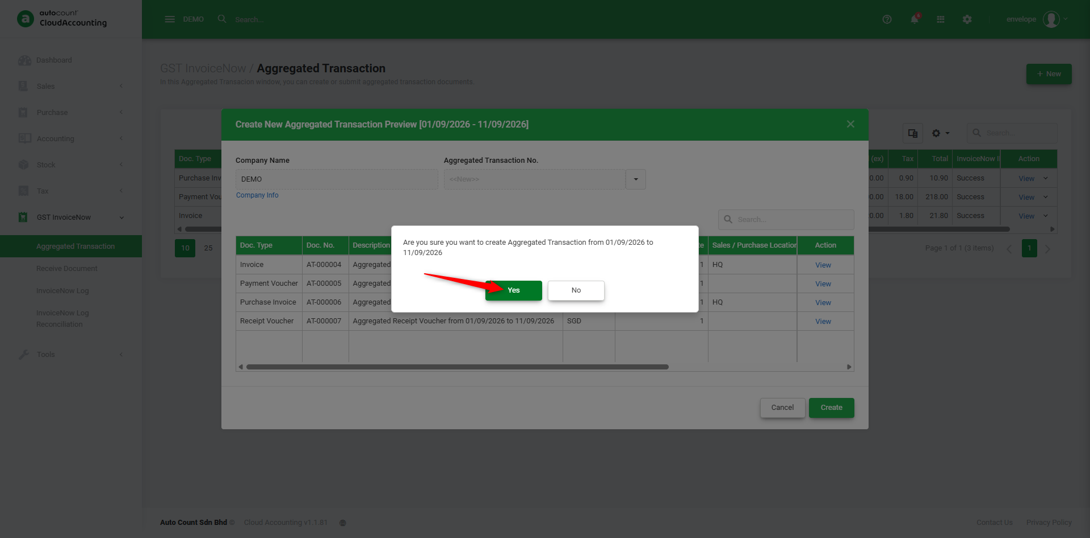
7. Click ‘Yes’ to generate and submit the aggregated transaction to IRAS via InvoiceNow.
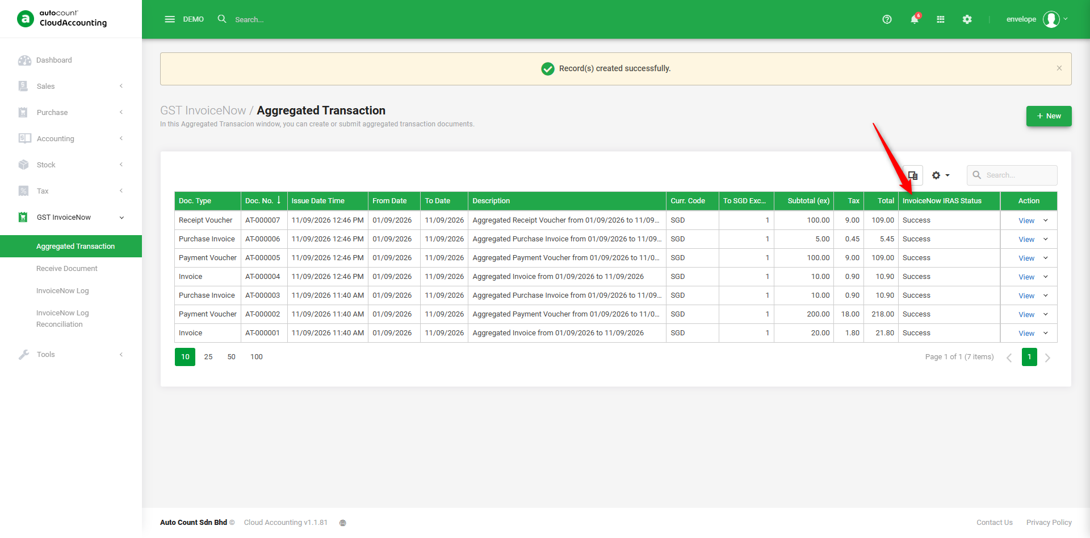
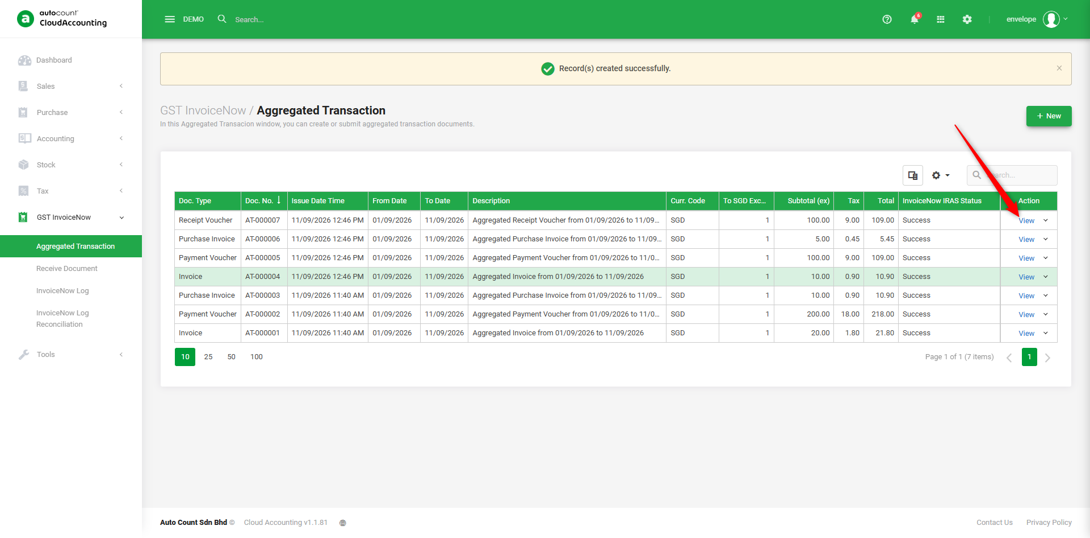
8. The ‘Success’ submission is shown under the InvoiceNow IRAS status.
9. Click ‘View’ to check the submitted aggregated transactions.
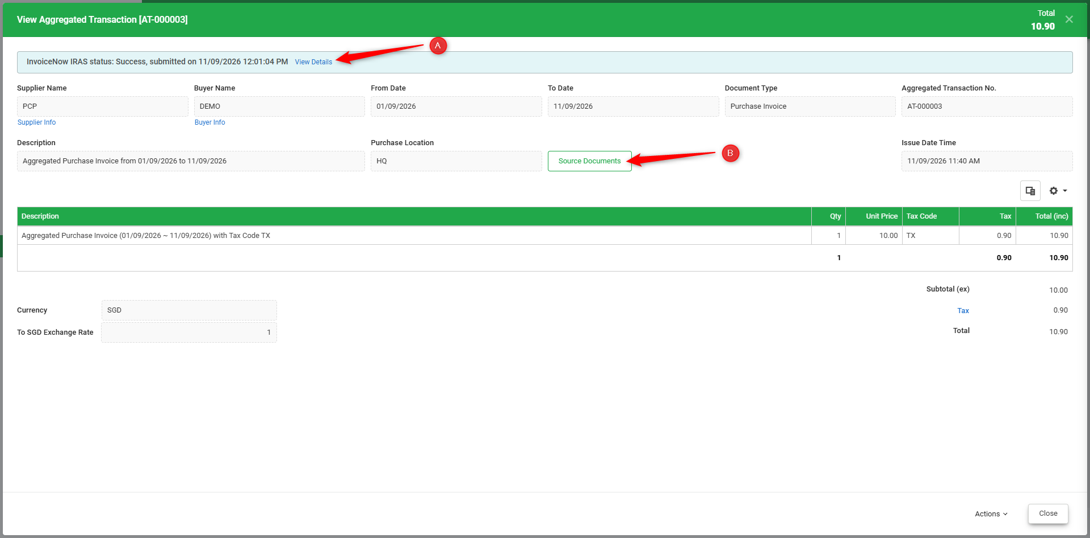
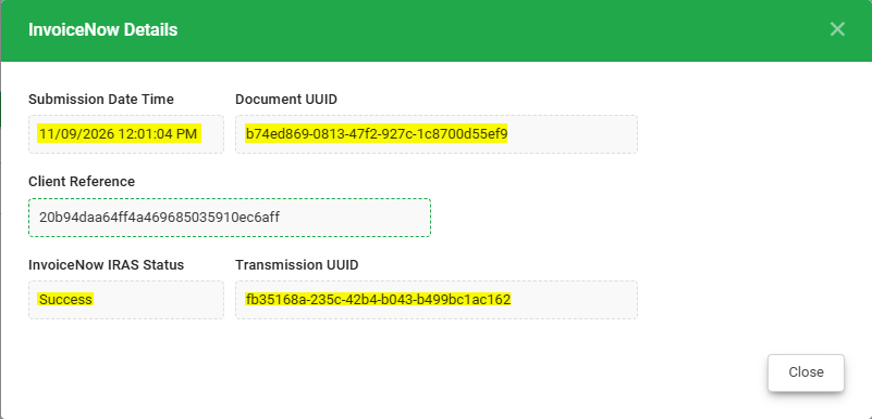
A. Click “View Details” to check the submission status. The Aggregated Transactions that are successfully submitted will have the status of success in the InvoiceNow IRAS Status. The details include the Submission Date Time, Document UUID, Client Reference, InvoiceNow IRAS Status, Transmission UUID.
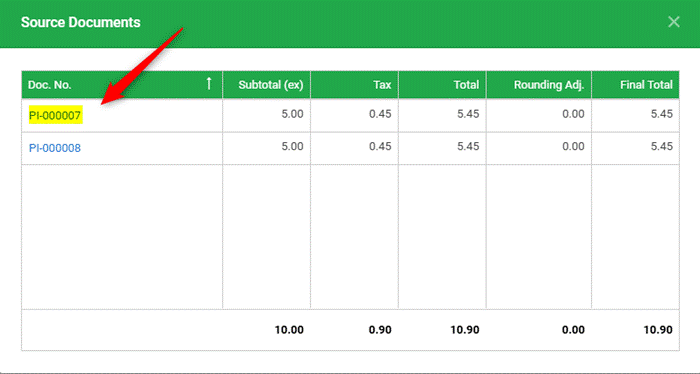
B. Click ‘View’ the submitted Cash Sales/Cash Purchases from the “Source Documents”.
You are done!
Prepared by Soon Horng, checked by Seck Voon & Stanley