
Receive Document allows you to retrieve any Peppol Invoice and Credit Note submitted by your Suppliers. When your Supplier submits an e-Invoice to you, you can use Receive Document to import the e-Invoice and convert it into a Purchase Invoice.
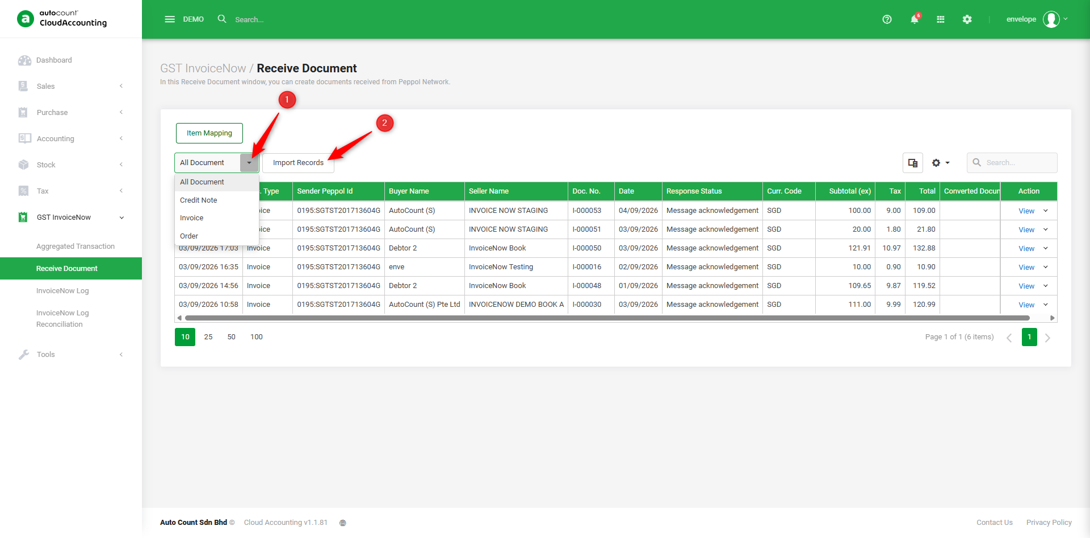
1. Select the document type to be imported → Click ‘Import Records'.
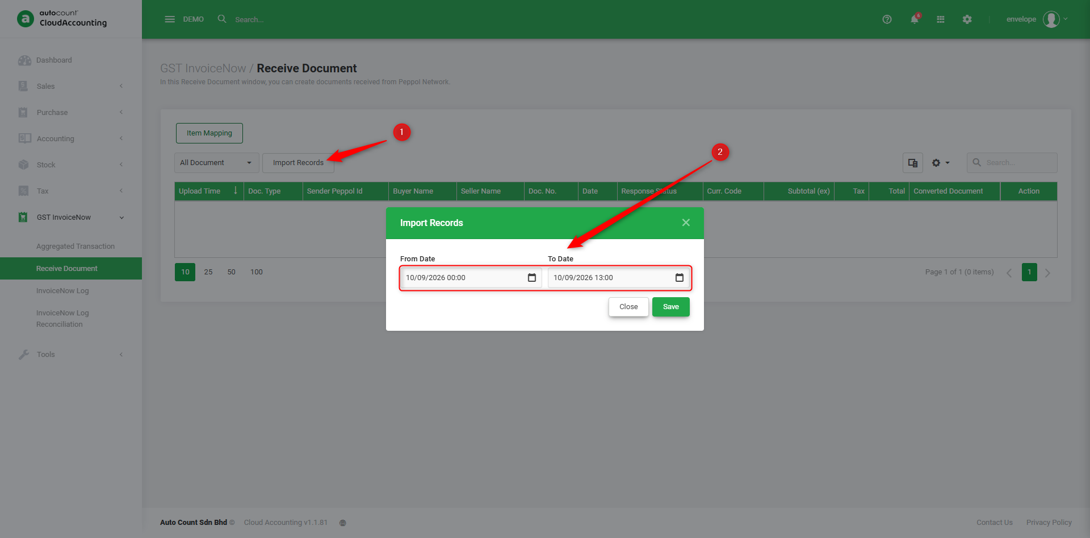
2. Enter the date range to check for e-Invoices submitted by your suppliers during that period → Save.
Note: The date range refers to the e-Invoice submission date, not the Invoice Document Date.
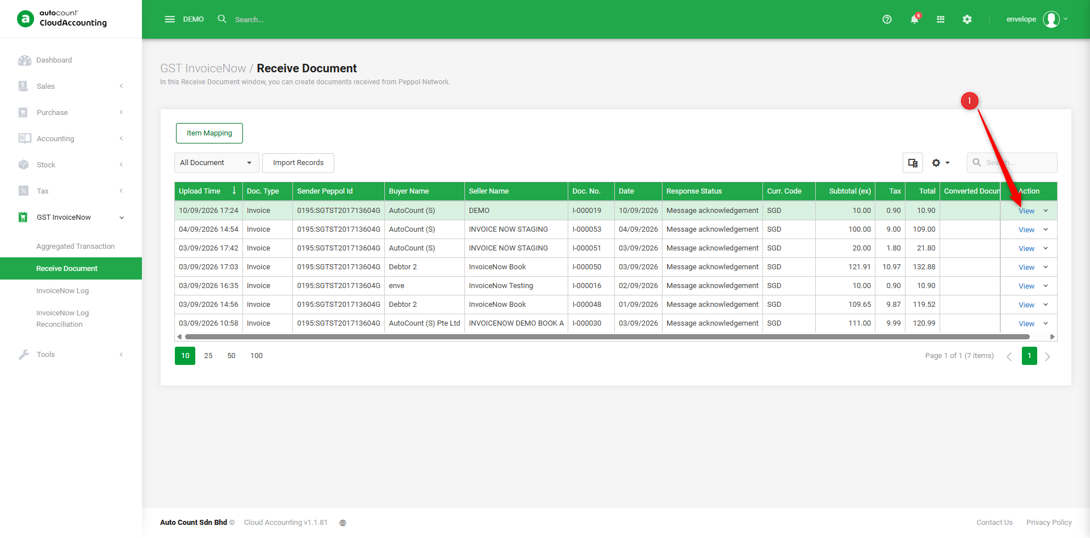
3. Click ‘View’ to review the e-Invoice details, including the document information, Supplier’s invoice No., Seller (Supplier) information, and item details.
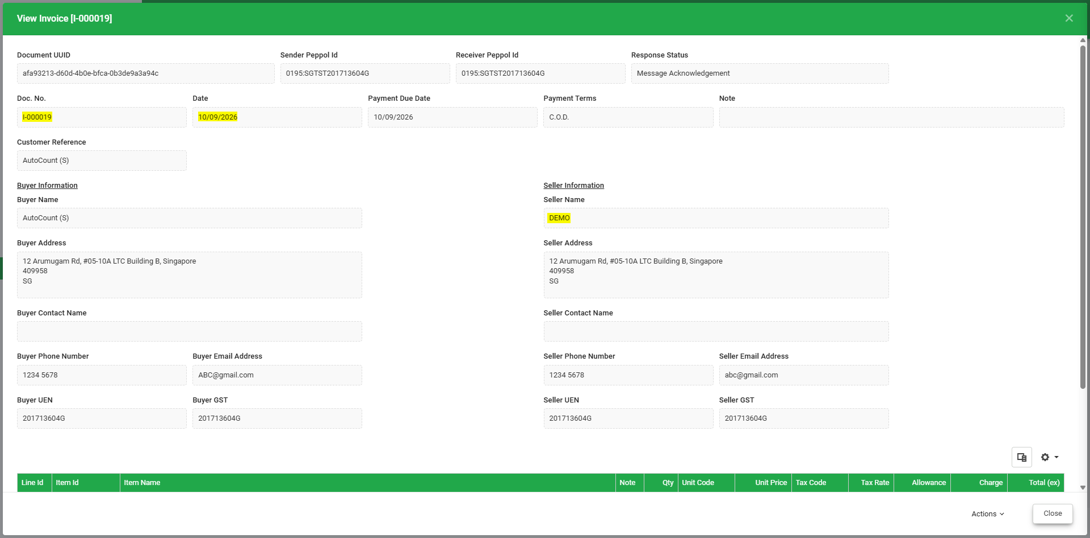
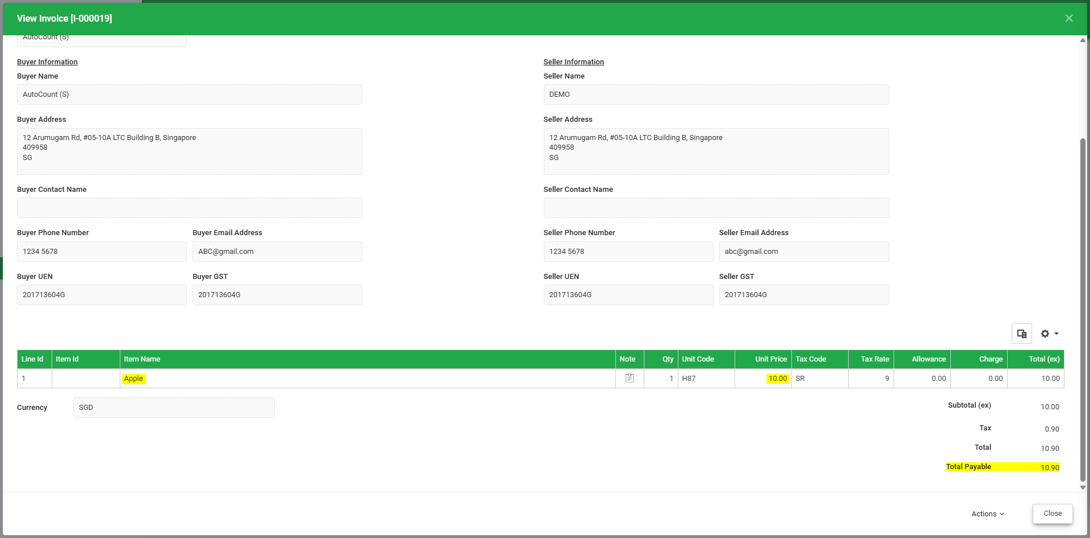
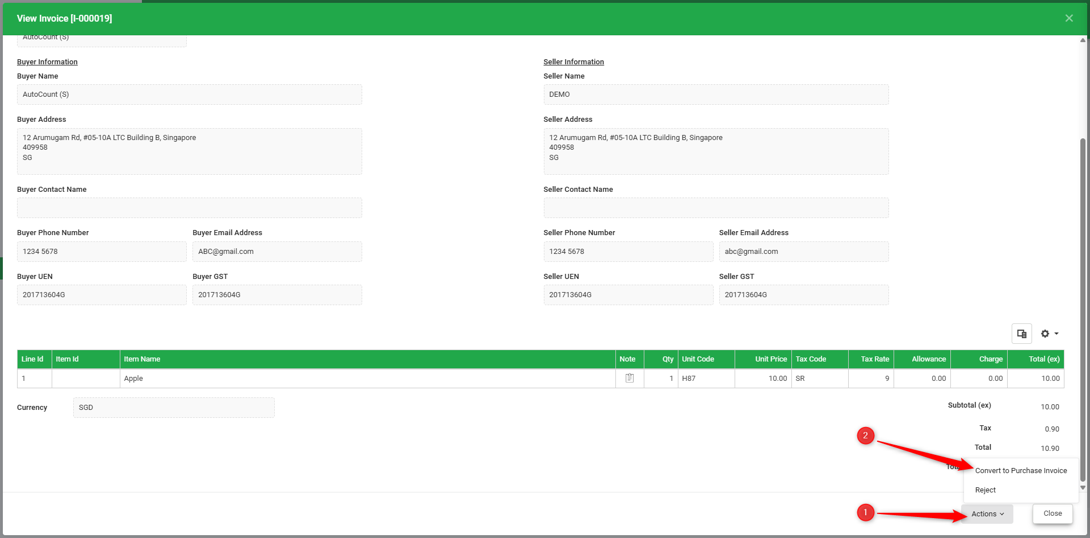
4. Once all item details have been confirmed. Go to Actions → Convert to Purchase Invoice.
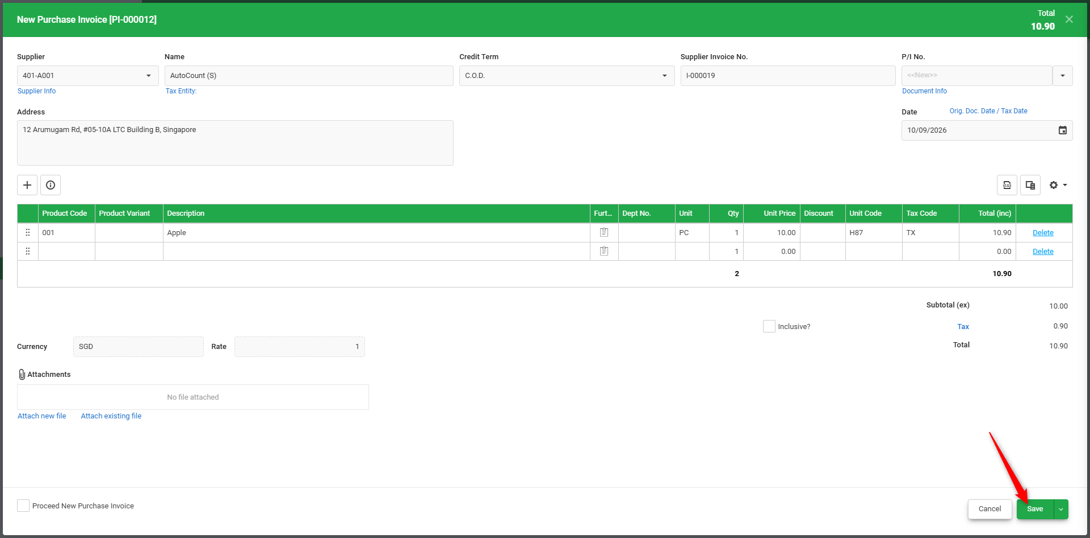
5. After converting the document to a Purchase Invoice, check that all details and prices are correct. Once confirmed, you may proceed to save the Purchase Invoice and submit it to InvoiceNow.
You are done!
Prepared by Soon Horng, checked by Seck Voon & Stanley