
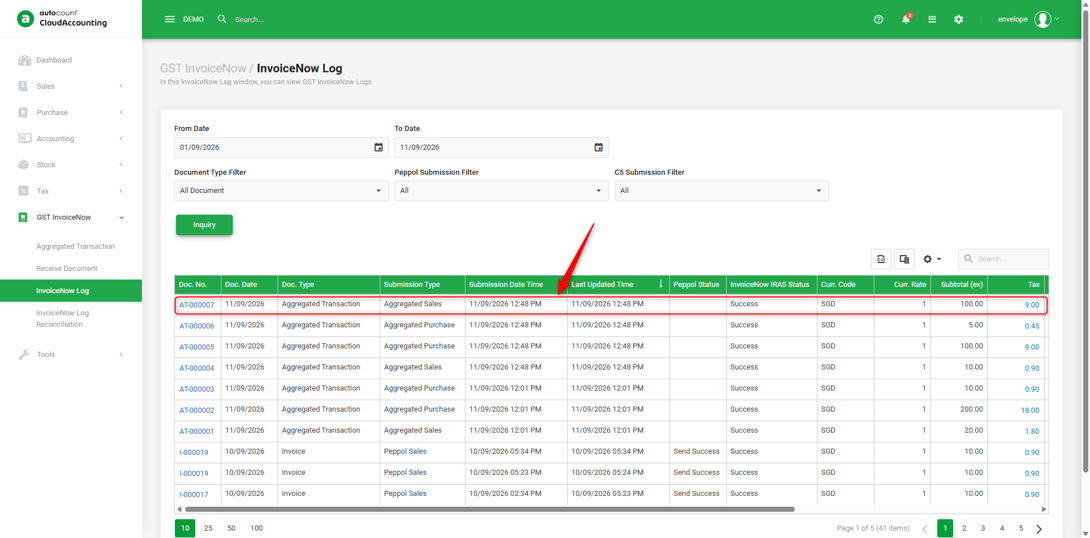
InvoiceNow Log allows users to view and check their InvoiceNow submission records, including the submission type, submission date and time, and the corresponding Peppol and IRAS submission status.
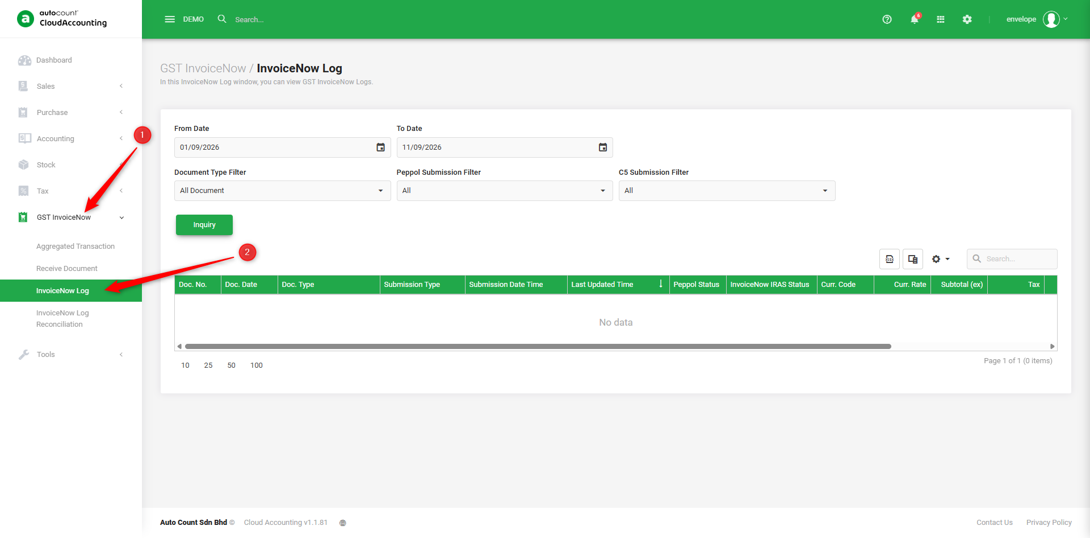
1. Go to GST InvoiceNow → InvoiceNow Log.
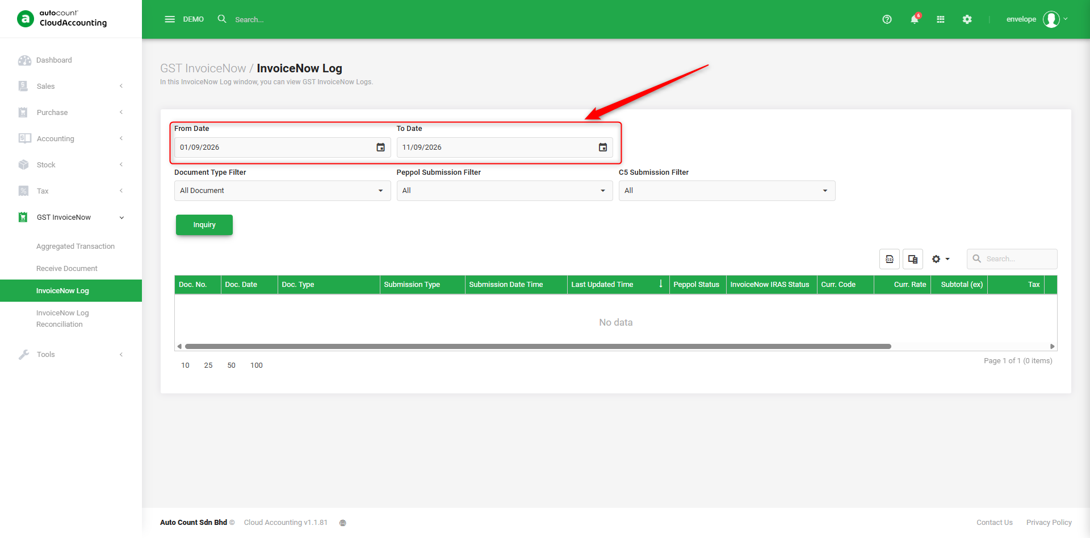
2. Enter the From Date and To Date to specify the period of submission records you want to check.
Note: The date range refers to the submission date of the documents, not the document date.
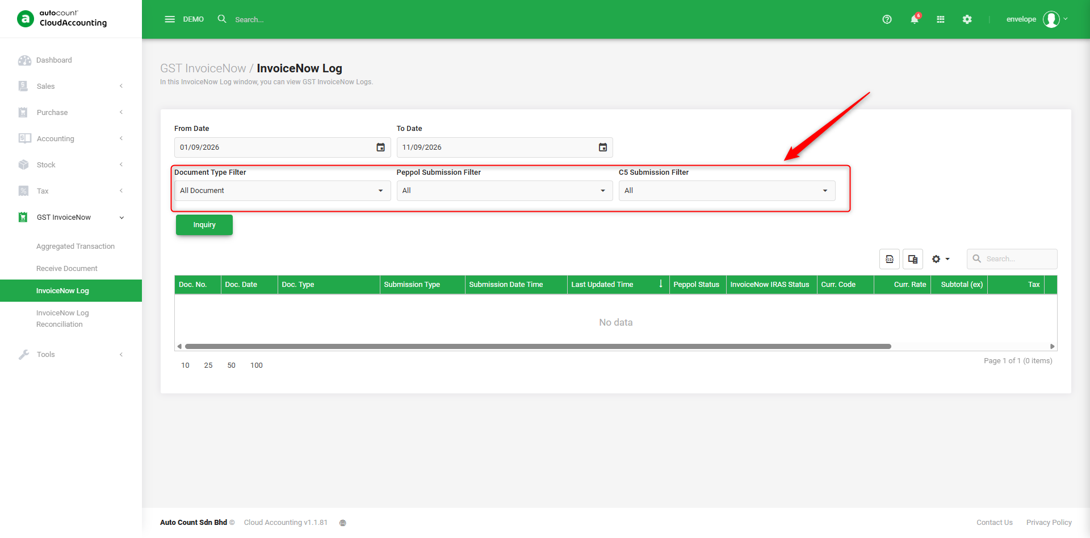
3. You can filter the records by Document Type, Peppol Submission Status, or C5 Submission Status.
4. Click ‘Inquiry’ to retrieve the submission records based on the selected criteria.
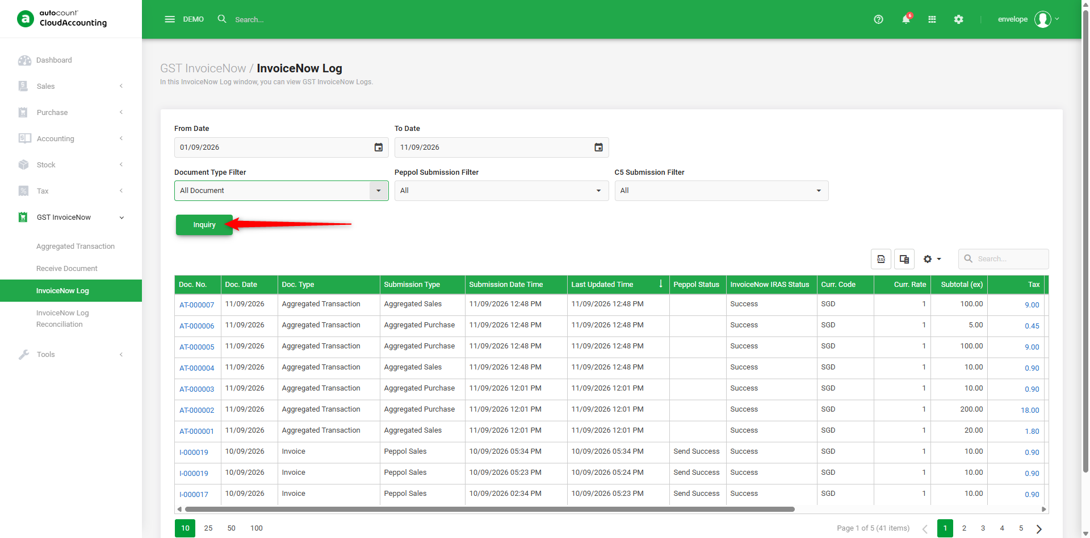
5. You can now review your submission records at a glance!
You are done!
Prepared by Soon Horng, checked by Seck Voon & Stanley