
Search terms: duplicate TIN error, duplicate business registration number, duplicate identity no, tax entity error, cannot save tax entity, same company different branch tax entity
Question:
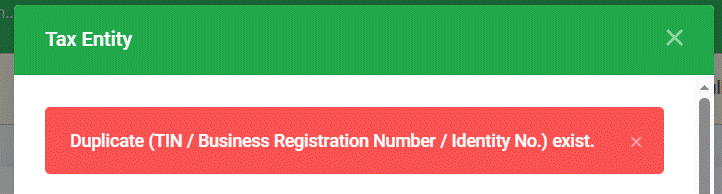
When creating or saving a Tax Entity record, the system displays the error: "Duplicate (TIN / Business Registration Number / Identity No.) exists."
Possible Reason:
This error occurs because a Tax Entity record with the same TIN, Business Registration Number, or Identity No. already exists in the system.
This commonly happens when a company has multiple customer records for different branches of the same business, and the user assumes each branch needs its own separate Tax Entity record. In most cases, this is unnecessary - a Tax Entity only needs to be created once per unique TIN/Business Registration Number.
Solution:
If the branches share the same Business Registration Number and TIN:
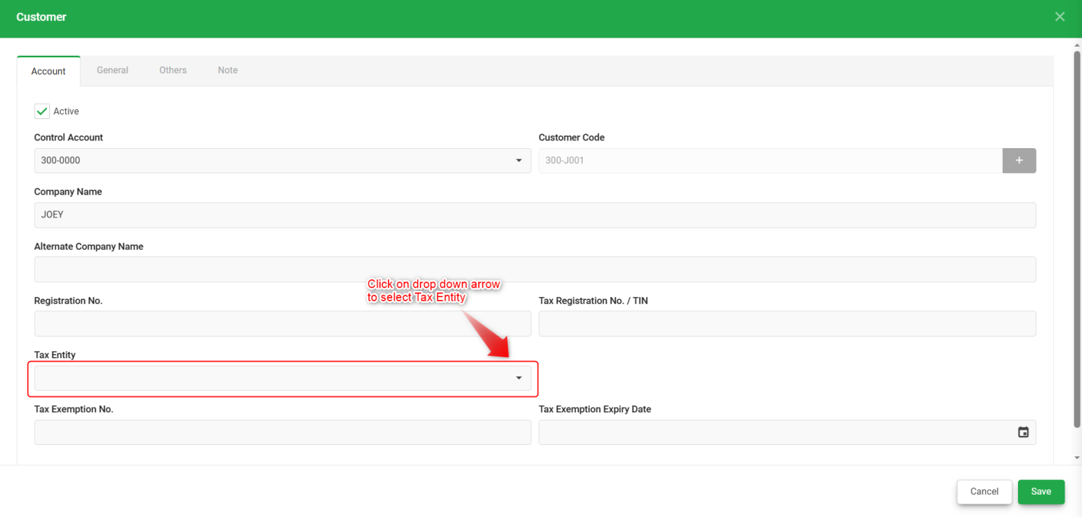
Do not create a new Tax Entity. Instead, go to Customer Maintenance for that customer record and select the existing Tax Entity directly, rather than creating a duplicate one.
If the branches are registered under different Business Registration Numbers (and therefore different TIN):
Each branch requires its own separate Tax Entity record, as they are legally distinct entities. Proceed with creating a new Tax Entity for the branch that does not yet have one.
To check if a Tax Entity record already exists before creating a new one:
1. Go to the Tax Entity listing.
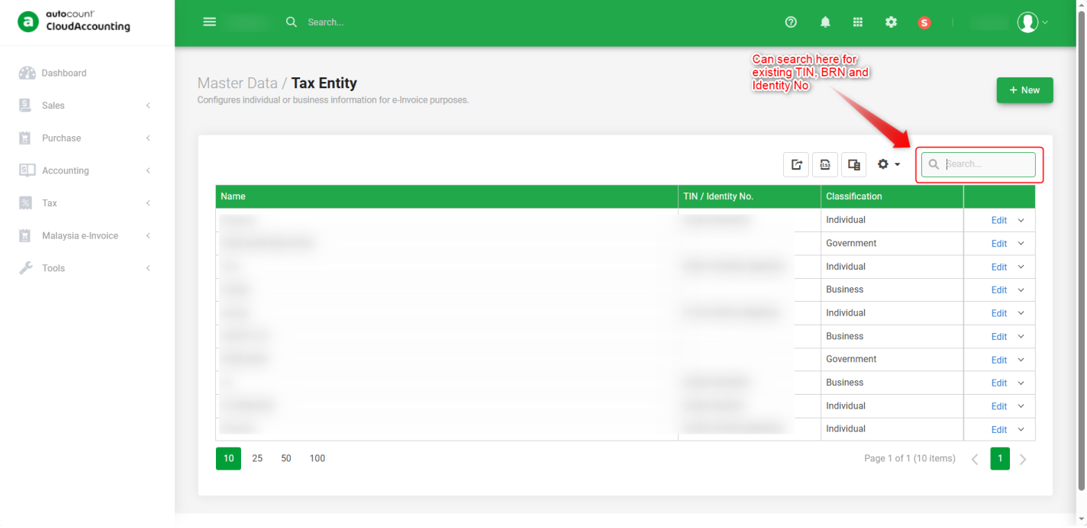
2. Use the Search field to look up the TIN, Business Registration Number, or Identity No.
3. If a matching record is found, assign that existing Tax Entity in Customer Maintenance instead of creating a new one.
By: Rotcana 260918, Lay Swan 260930