
e-Invoice Special Voluntary Disclosure Programme (SVDP)
The e-Invoice Special Voluntary Disclosure Programme (SVDP), announced by the Inland Revenue Board of Malaysia (LHDN), allows businesses to address past e-Invoice submission errors or missed submission deadlines without penalty charges.
This function is available until 31 December 2027.
Table of Contents
- Enable e-Invoice SVDP
- Create a SVDP Invoice Transaction
- Create a SVDP Credit Note Transaction
- Create a SVDP Consolidated e-Invoice
- Create a SVDP Self-Billed e-Invoice
Enable e-Invoice SVDP
- Go to Account Book > Settings.
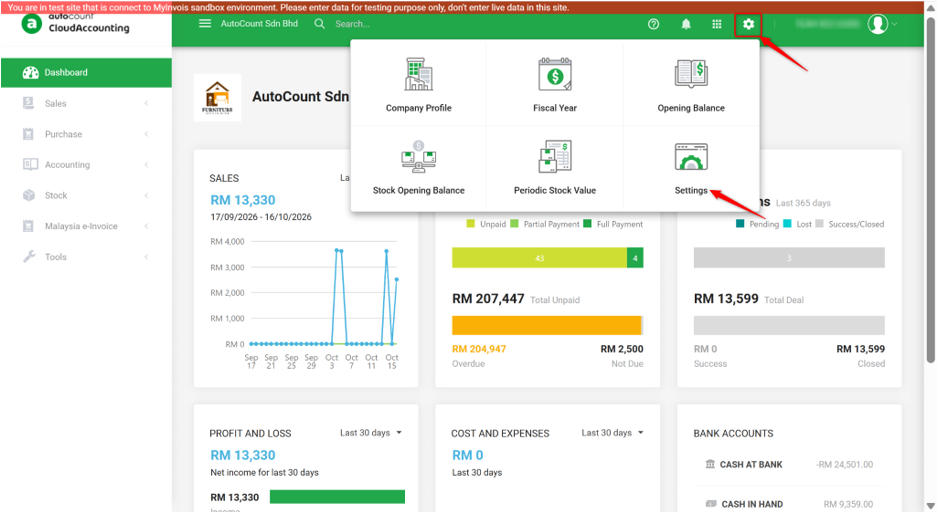
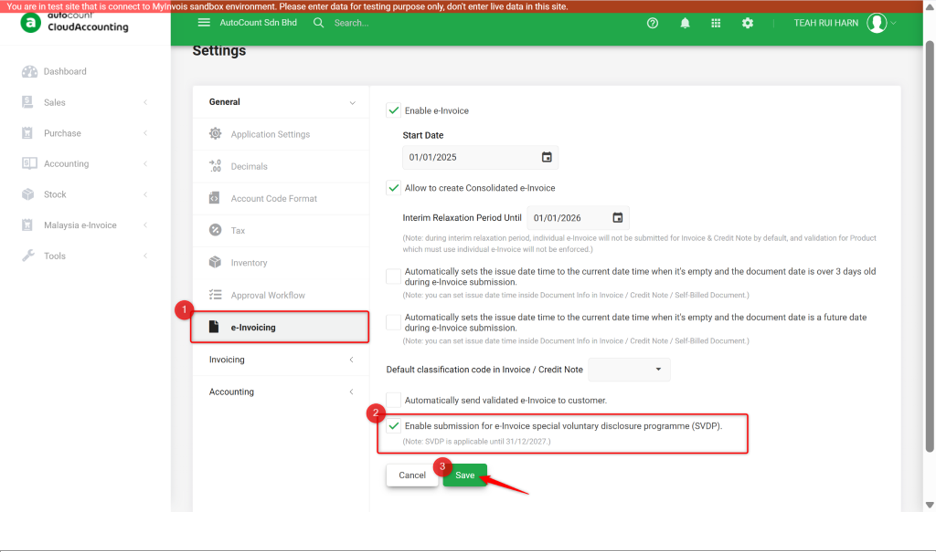
- Navigate to General > e-Invoicing.
- Enable Enable submission for e-Invoice special voluntary disclosure programme (SVDP).
- Click Save.
Create a SVDP Invoice Transaction
- Go to Sales > Invoice.
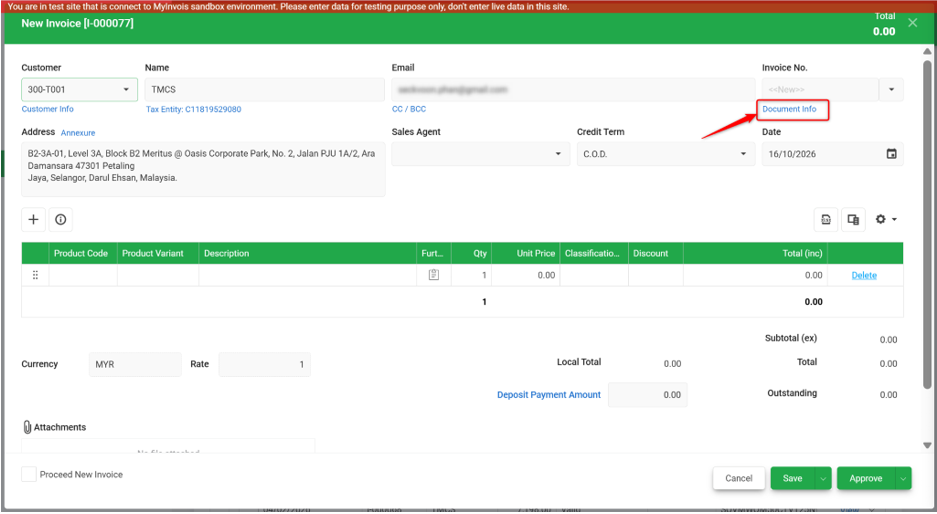
- Create a new invoice.
- Click Document Info.
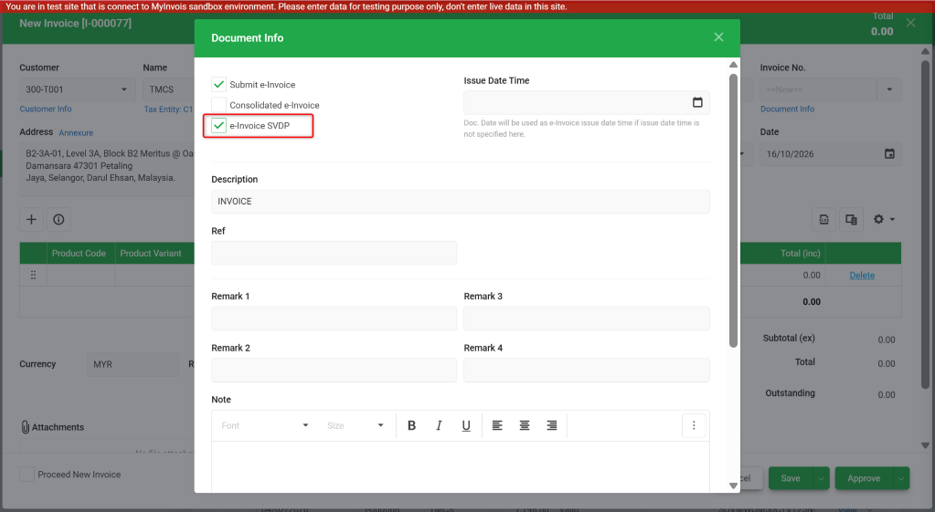
- Enable e-Invoice SVDP.
- Click the Cross (X) icon to close the page.
- Enter the required information and click Save to save as draft or Approve to submit to LHDN for e-Invoice validation.
Create a SVDP Credit Note Transaction
- Go to Sales > Credit Note.
- Create a new credit note.
- Click Document Info.
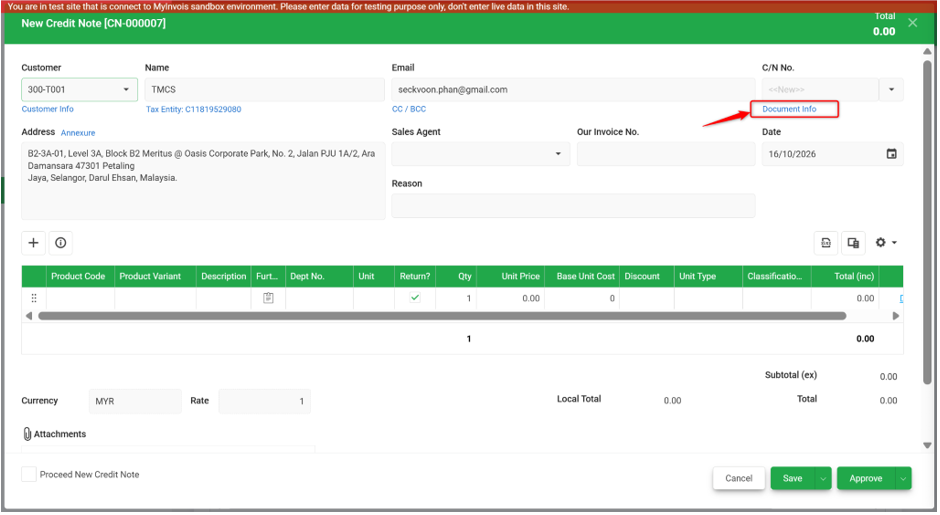
- Enable e-Invoice SVDP.
- Click the Cross (X) icon to close the page.
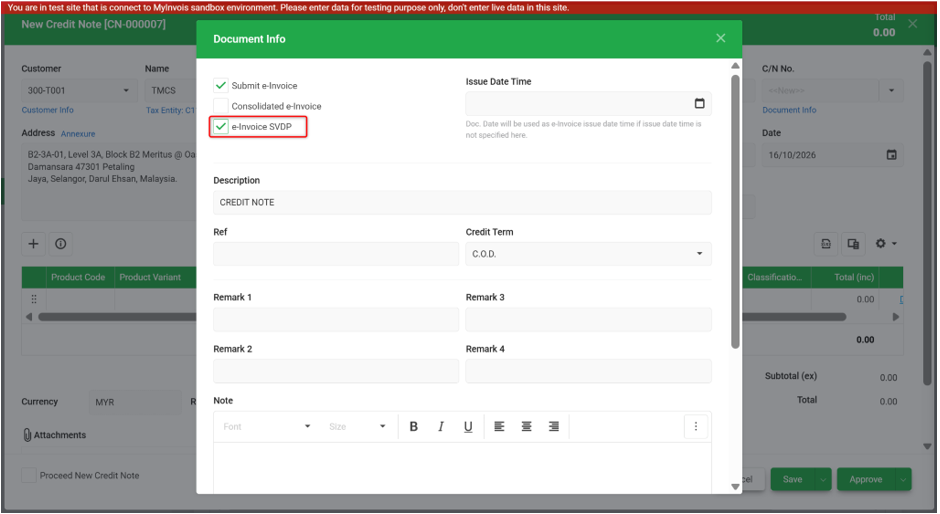
- Enter the required information and click Save to save as draft or Approve to submit to LHDN for e-Invoice validation.
Create a SVDP Consolidated e-Invoice
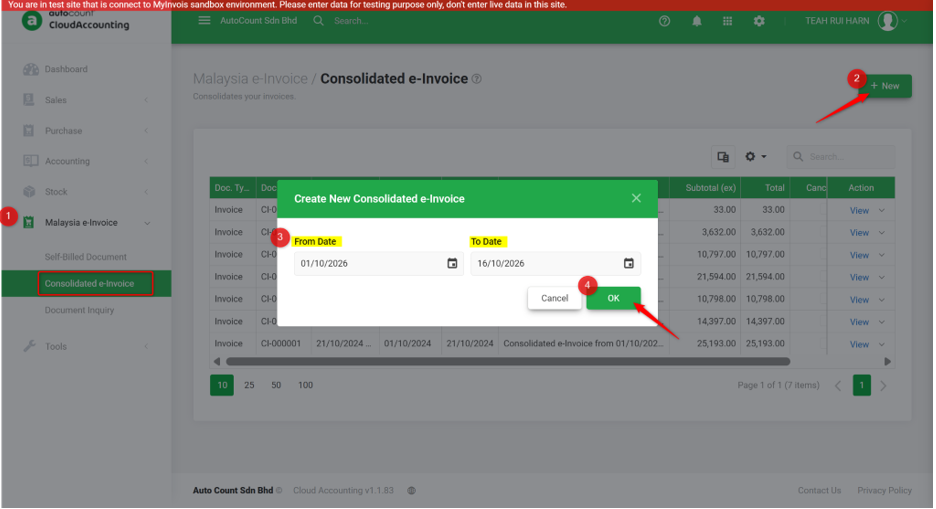
- Go to Malaysia e-Invoice > Consolidated e-Invoice.
- Create a new consolidated e-Invoice.
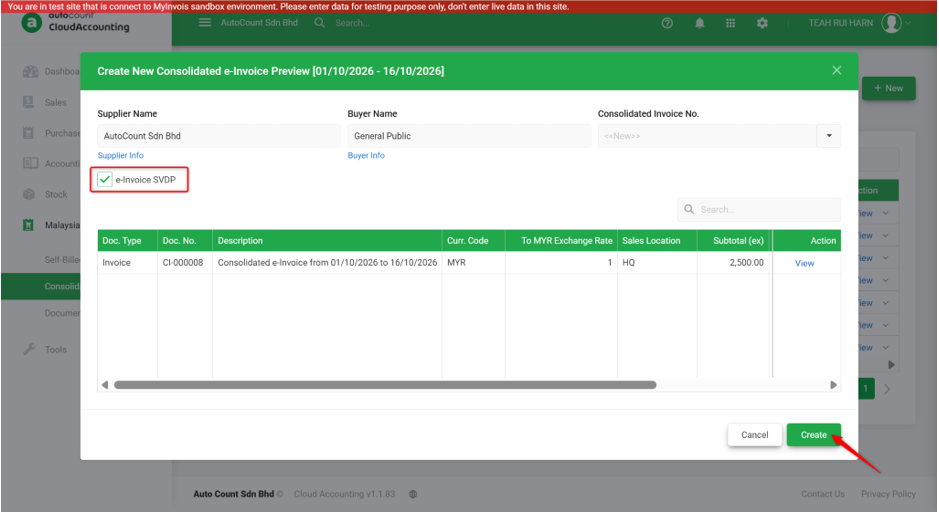
- Enable e-Invoice SVDP.
- Click Create to submit to LHDN for e-Invoice validation.
Create a SVDP Self-Billed e-Invoice
- Go to Malaysia e-Invoice > Self Billed Document.
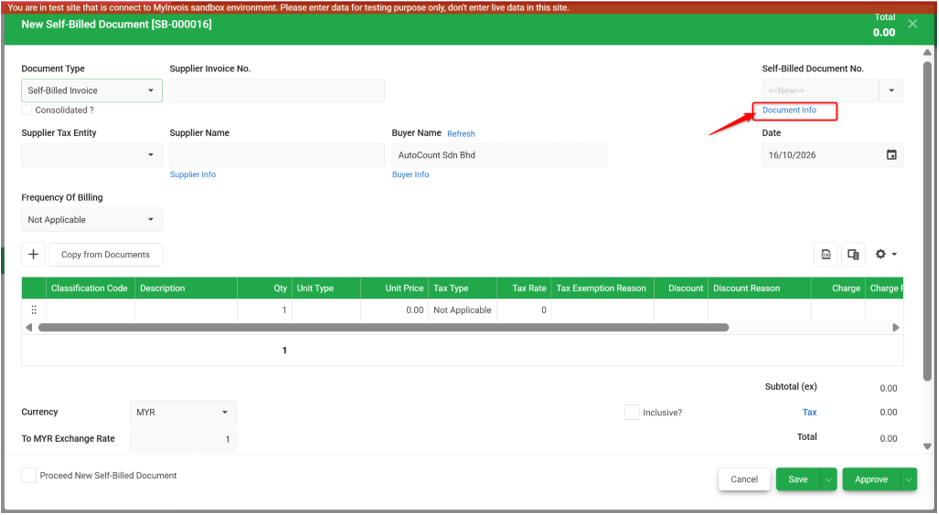
- Create a new self-billed document.
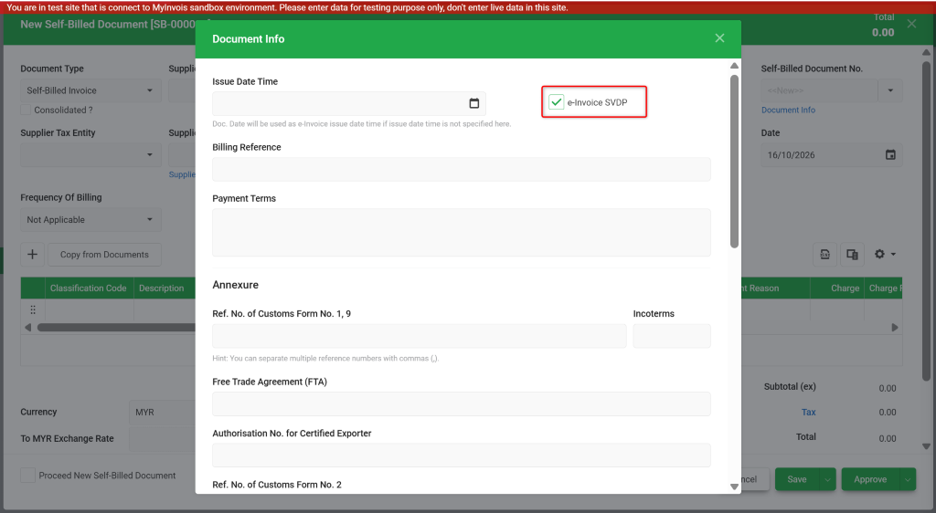
- Click Document Info.
- Enable e-Invoice SVDP.
- Click the Cross (X) icon to close the page.
- Enter the required information and click Save to save as draft or Approve to submit to LHDN for e-Invoice validation.
Prepared by Rui Harn & checked by Seck Voon