
Search terms: product posting not following setting, product posting not updated, invoice account number not changed, old invoice still shows previous account, account number changed in invoice but next invoice goes back, sales account not updating.
Question:
Why does the account number in my transaction not follow the Product Posting setting? This can happen in two situations:
1. After I changed Product Posting, why do existing transactions still show the old account number?
2. After I changed the account number on a transaction, why do new transactions still use the old account number?
This applies to any transaction that posts to an account, such as Invoice and Purchase Invoice.
Possible Reason:
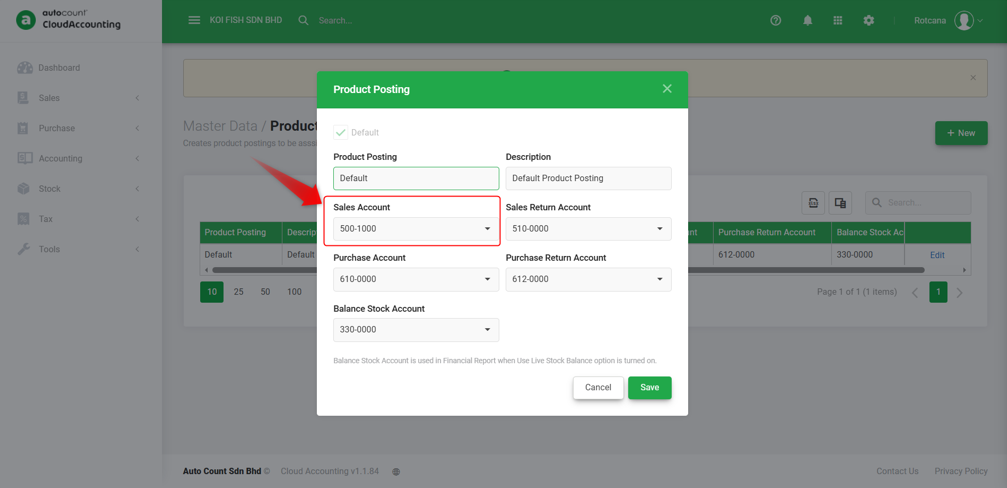
Product Posting is a function in Master Data that determines which accounts a product posts to, such as the sales account and the purchase account.
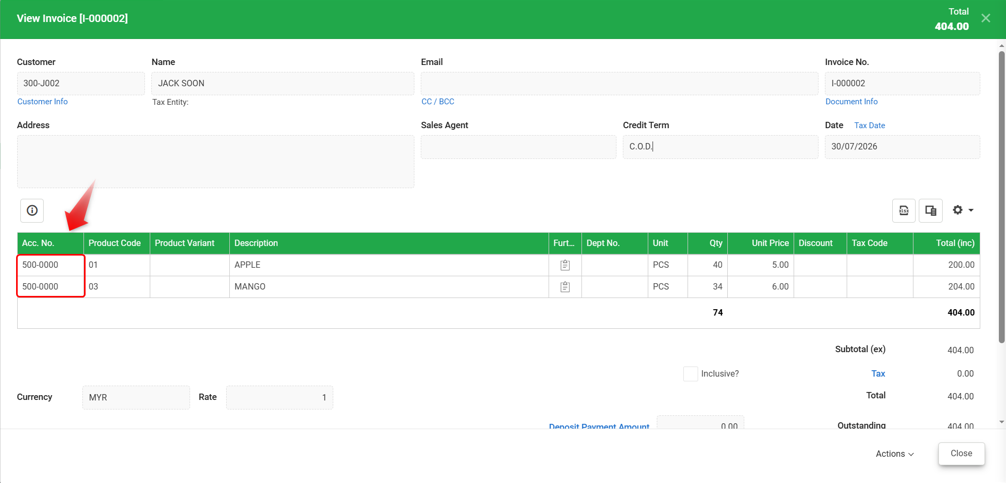
A transaction takes its account from the product's Product Posting when the transaction is created. A change to Product Posting only affects transactions created after the change. Existing transactions retain the account from the previous setup.
Changing the account number on a transaction does not change Product Posting.
Solution:
If you changed Product Posting but existing transactions still show the old account number:
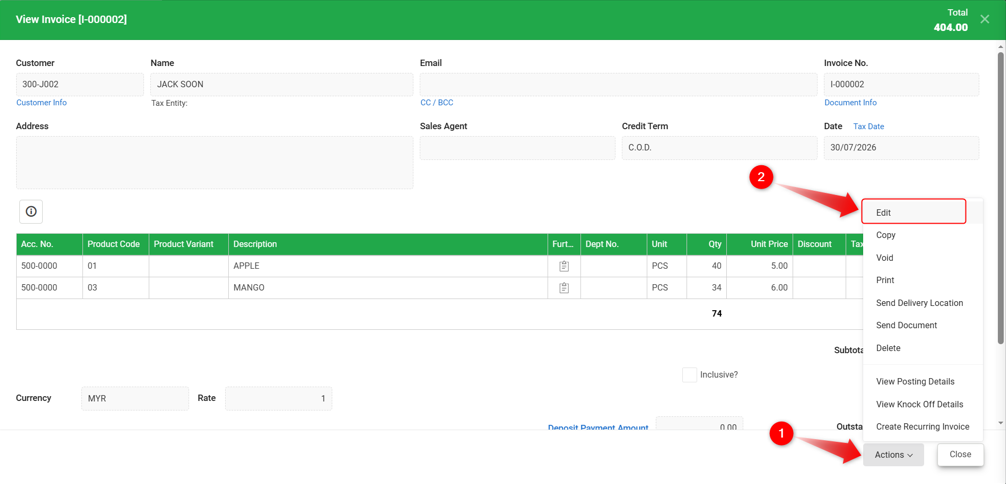
1. Open the existing transaction, then click on Actions > Edit.
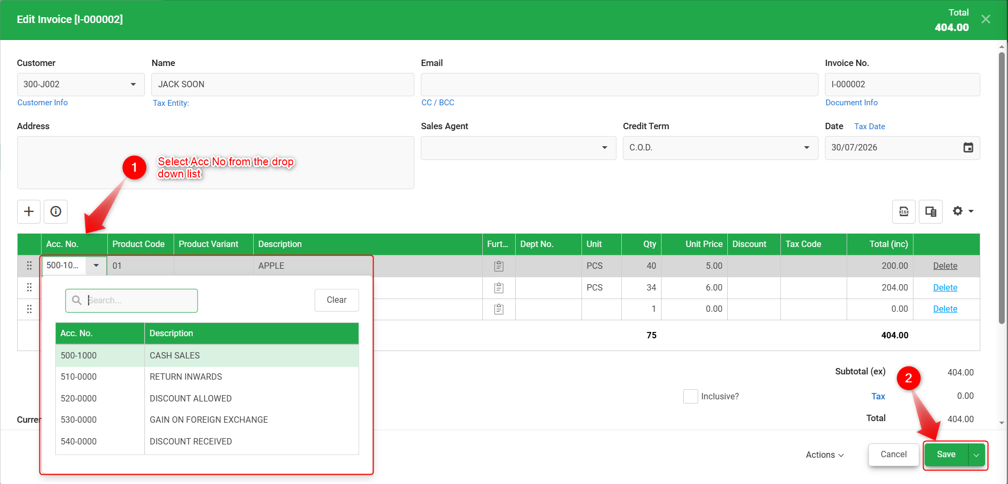
2. Change the account number (Acc. No.) on the affected line to the correct account.
3. Save the transaction.
Transactions created after the Product Posting change follow the new setting automatically, so nothing needs to be done for them.
If you changed the account number on a transaction, but new transactions still use the old account number:
The change on a transaction only applies to that transaction. New transactions still take the account from the product's Product Posting. To change the account for new transactions, edit the Product Posting itself or assign a different Product Posting to the product. For the steps, refer to the Product Posting guide:
https://help.accounting.autocountcloud.com/support/solutions/articles/69000387030-product-posting
By: Rotcana 261118, Lay Swan 261128