
Question:
How do I check my subscription plan and expiry date?
Answer:
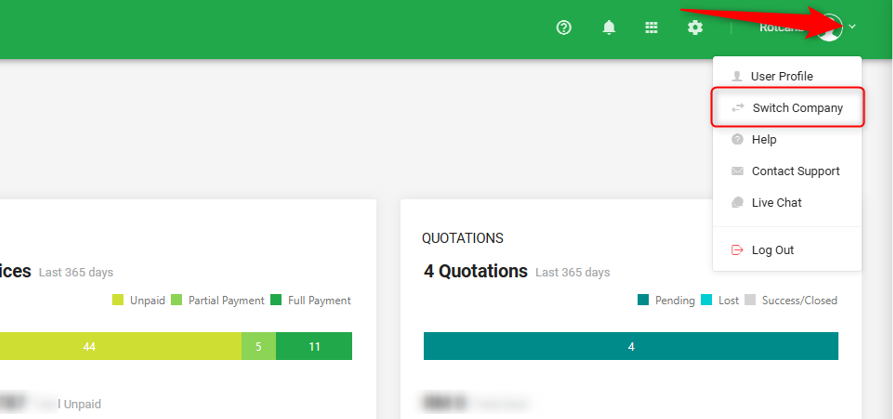
1) Go to Cloud Accounting Dashboard. On top right, click on small arrow and select ‘Switch Company’.
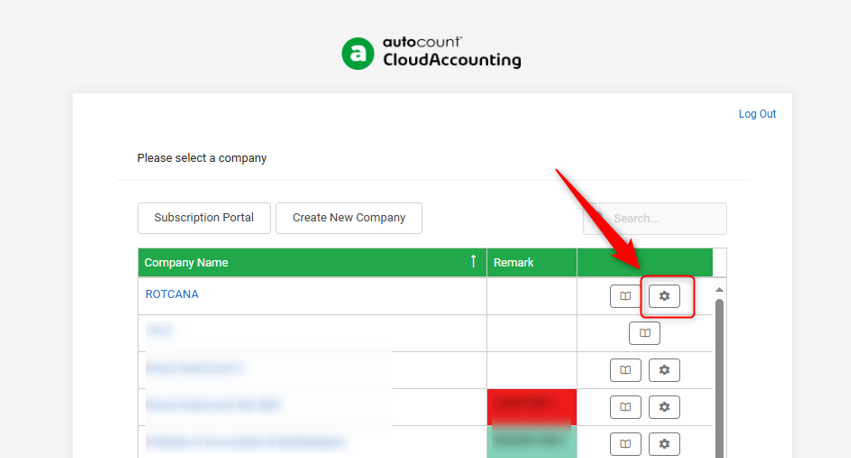
2) Click on the ‘Setting’ icon on the company you want to check the expiry date.
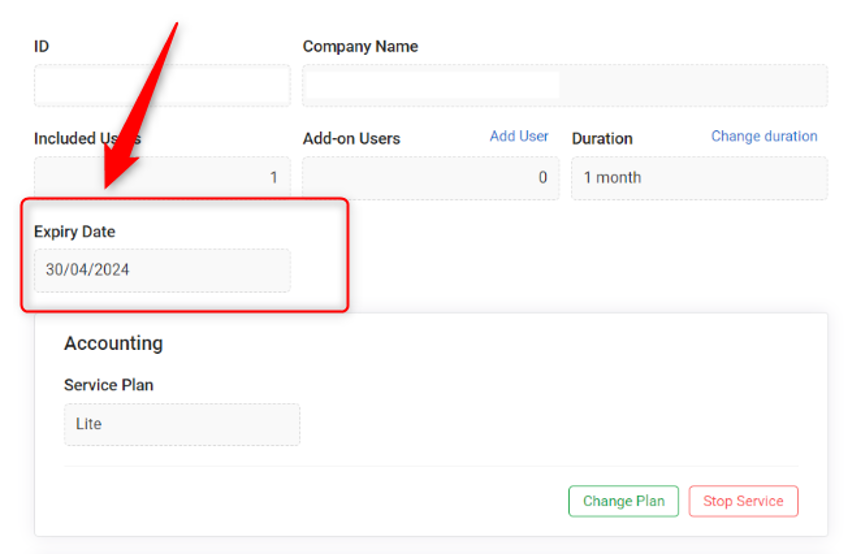
3) You will be able to see the Service Plan (your subscription plan) and Expiry Date below Included Users.
By: Rotcana 240719, Lay Swan 240830, Jae Sen 240903