
Question:
Why do I receive the notification “No available transactions were found between the selected dates to create Consolidated e-Invoice” when I try to create a Consolidated e-Invoice?
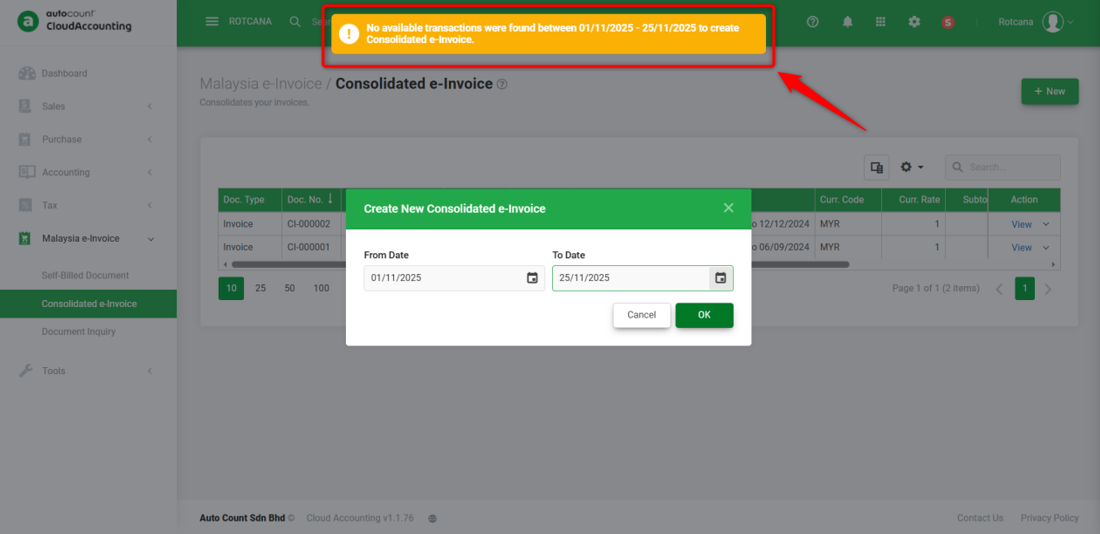
Possible Reason:
The Invoice is not ticked ‘Submit e-Invoice’ or the invoice has already submitted as individual e-invoice, so it is no longer available for consolidation.
Solution:
If the invoices were not ticked with “Submit e-Invoice”, please follow the steps below:
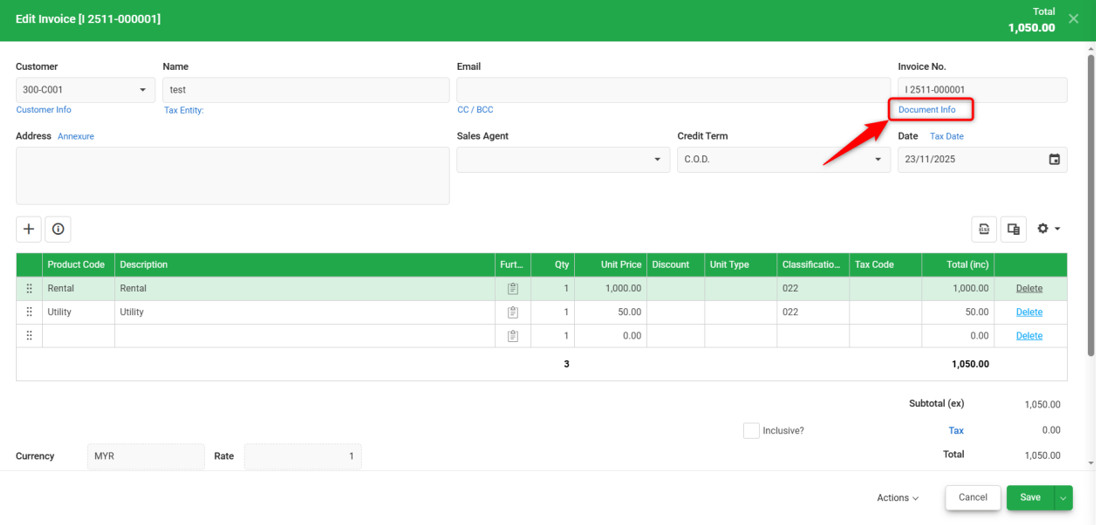
1) Edit the invoice and click on Document Info. A small pop-up will appear.
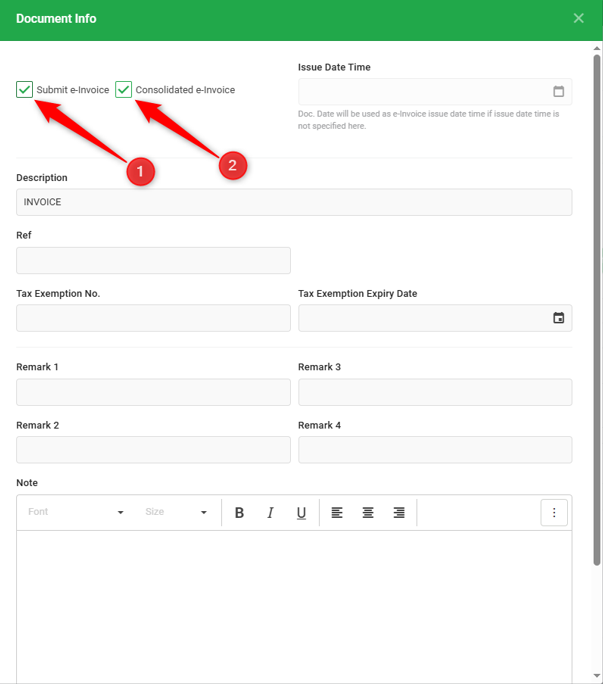
2) Tick ‘Submit e-Invoice’ (1). Once selected, the ‘Consolidated e-Invoice’ option will appear. Tick (2) Consolidated e-Invoice, then close the window. Click Save to Save the Invoice.
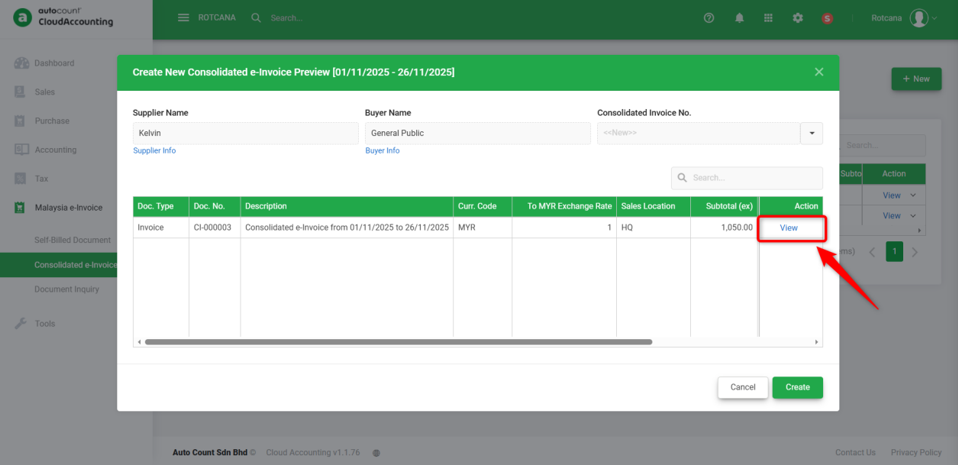
3) Go to Consolidated e-Invoice and procced to create a new Consolidated e-Invoice. The ‘Create New Consolidated e-Invoice Preview’ window will appear. Click on View and verify that the invoice is now listed.
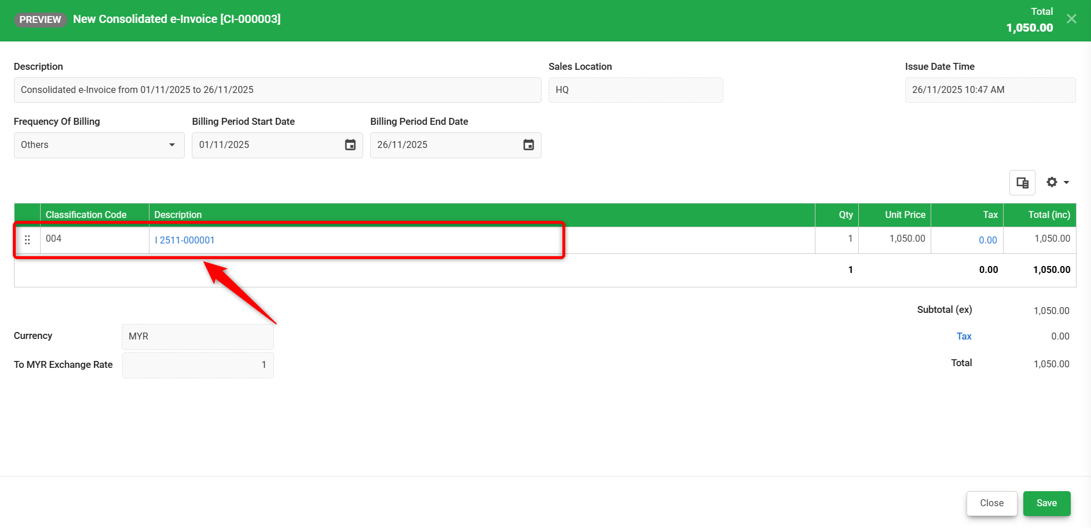
Notes: For a complete step-by-step guide on creating a Consolidated e-Invoice, please refer to the help guide below:
How to do Consolidated e-Invoice
By: Rotcana 251126, Lay Swan 251215