
Question:
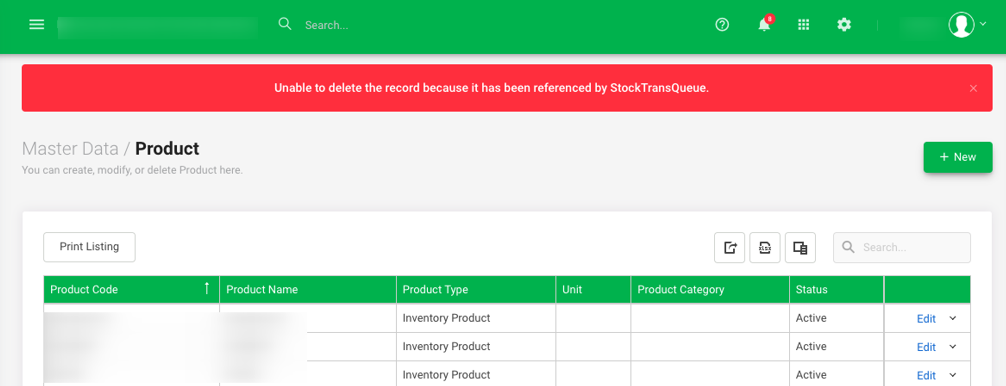
When trying to delete a Product under Master Data > Product, the system prompts one of the following error messages and prevents deletion:
- Unable to delete the record because it has been referenced by StockTransQueue.
- Can't delete Product because stock costing calculation of the product is in progress. Please retry later.

Possible Reason:
This error happens because the system needs to update backend stock records after a product is deleted or removed from a transaction.
StockTransQueue is the internal table AutoCount uses to track and recalculate stock movements—such as sales, purchases, adjustments, and transfers—along with stock costing calculations.
Deletion is temporarily locked until these updates finish to keep your data accurate.
Solution:
1. Wait for background processing to finish: Allow the queuing and costing process to complete. Depending on transaction volume, this typically takes around 15 minutes or longer.
2. Avoid using the product: Do not reference or select the item in any new transactions while waiting.
3. Retry deletion: After waiting, go back to Master Data > Product and delete the item.
Note: Deleting a product while it is still involved in active or recent transactions will cause an "unable to delete" error.
By: Rotcana 260818, Lay Swan 260831