
Before using Receive Document, you can set up Item Mapping once to map your Cloud Accounting Product Code to the Product Code used by your Supplier or Customer. This allows the system to automatically identify the correct items when converting received documents into Purchase Invoices, so you don’t have to manually enter the mapping each time you use the Receive Document function.
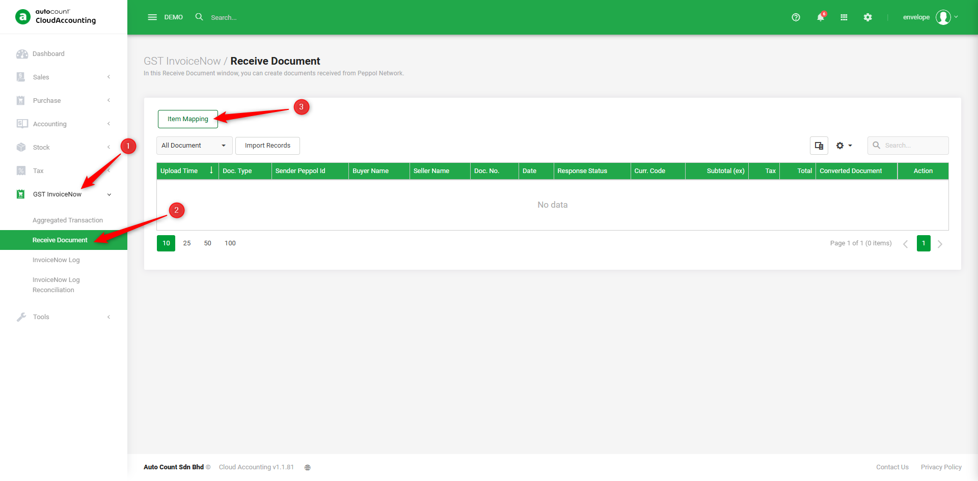
1. Go to GST InvoiceNow → Receive Document → Item Mapping.
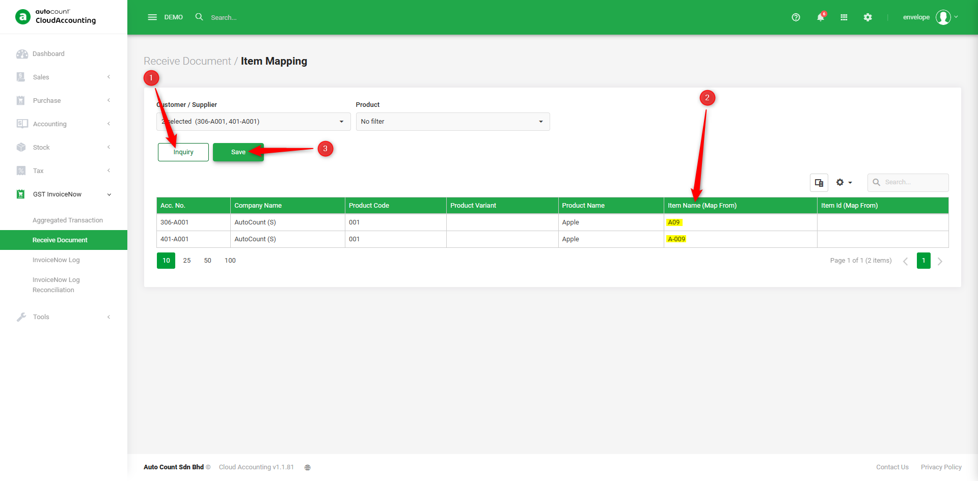
2. Click ‘Inquiry’ → Key in the product code provided by your Supplier/Customer under the ‘Item Name’ field → Save.
Note: The Item ID is optional and not mandatory.
You are now done. You can learn how to Receive Document next!
Prepared by Soon Horng, checked by Seck Voon & Stanley